
At the end of the free trial period, you can choose a free plan by following these steps.
* You cannot use the free plan from the beginning.
<For the PC version>
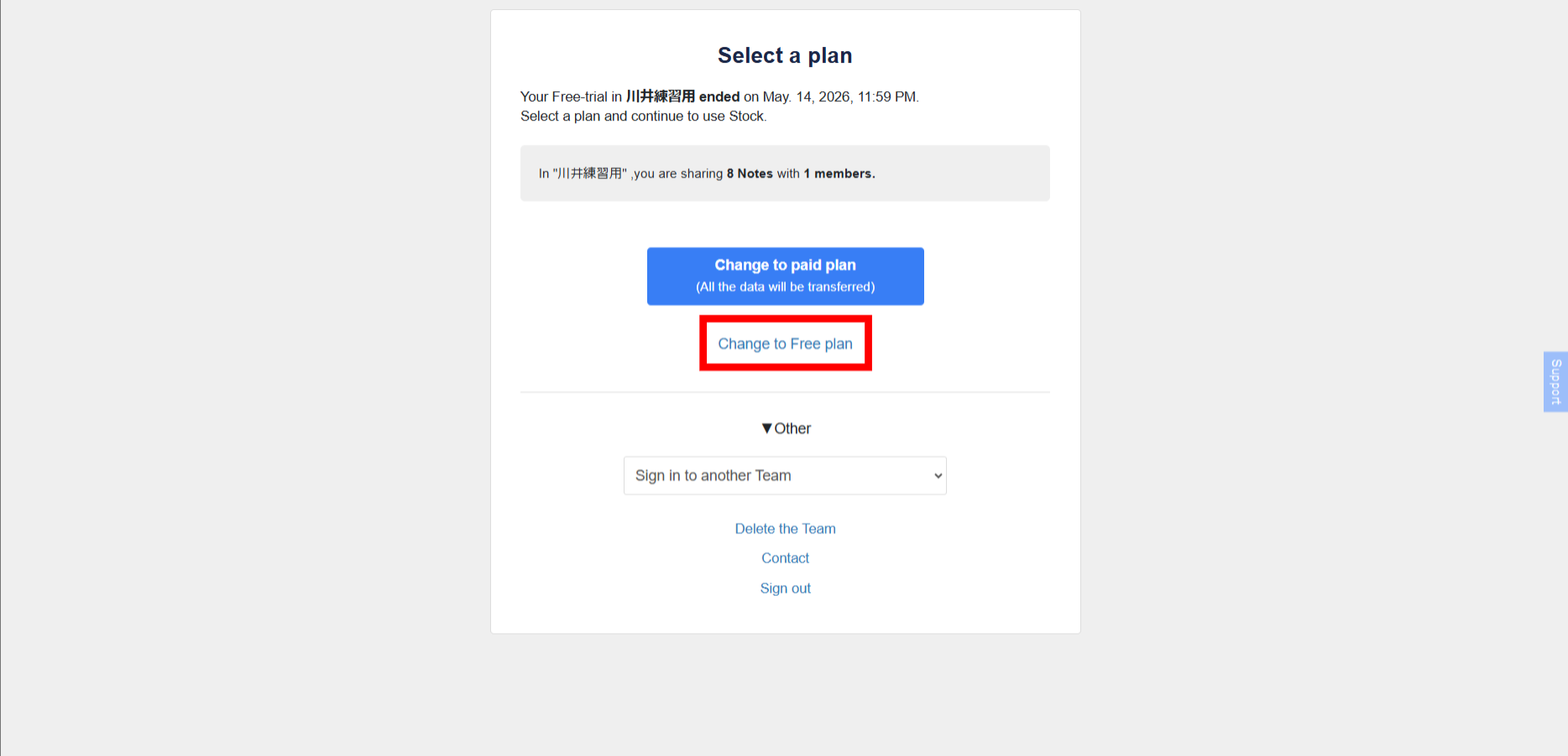
When the free trial period ends, the following screen appears. Click on ‘Change to free plan’ and follow the on-screen instructions to change to a free plan.
<For the smartphone version>
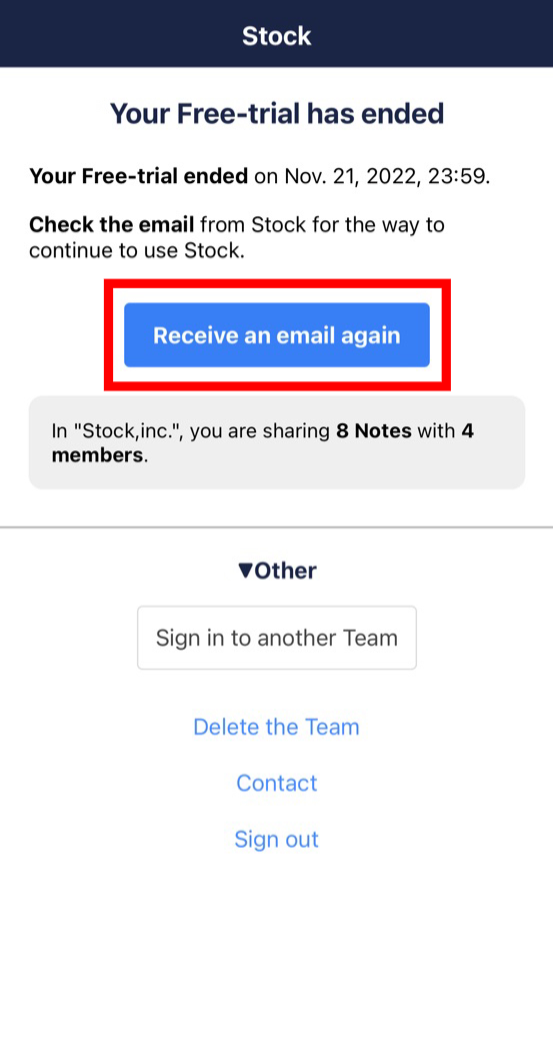
① When the free trial period ends, the following screen will appear. Tap ‘Receive an email again’.
②Tap ‘Change plan’ in the email.
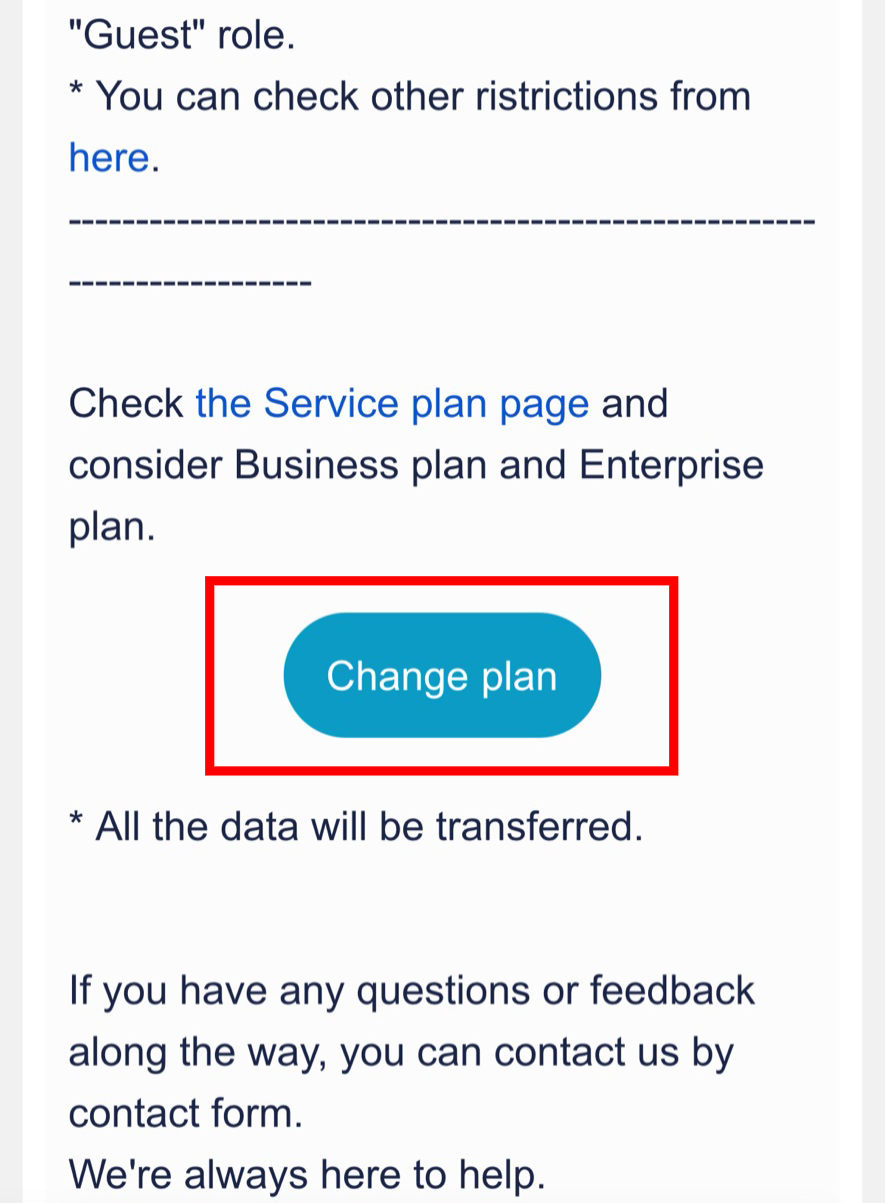
③ Log in, select the team you want to change to a free plan and complete the process.