

An important part of advancing a project is to set several milestones (intermediate goals) before the due date. By setting milestones, progress can be monitored frequently, and if there are delays, countermeasures can be taken at an early stage.
On the other hand, many people may be concerned that they do not know how to manage milestones.
Therefore, we will focus on 8 templates that can be used to manage milestones for below people.
- “I need a template to manage milestones.”
- “My team is not functioning well because I do not know how the members are progressing.”
- “I want to know an effective way to manage project information including milestones.”
If you are in charge of a project, this article will help you find the best milestone template for your company and make the progress of your project visible.
Contents
What is a milestone?
A milestone is a stone that is placed at a certain distance. In business, milestones are set as intermediate goals that serve as milestones in a business plan, and are used to manage schedules and track progress.
Setting milestones allows you to track the progress of a project frequently so that you can respond quickly in the event of delays. It also makes accurate scheduling easier, so projects can be carried out systematically.
In addition, milestones are effective in keeping members motivated. Therefore, milestones are frequently used in long-term projects where motivation is difficult to maintain.
8 free milestone templates
Below you will find 8 milestone templates. Use these templates to create a consistent format for managing milestones within your company.
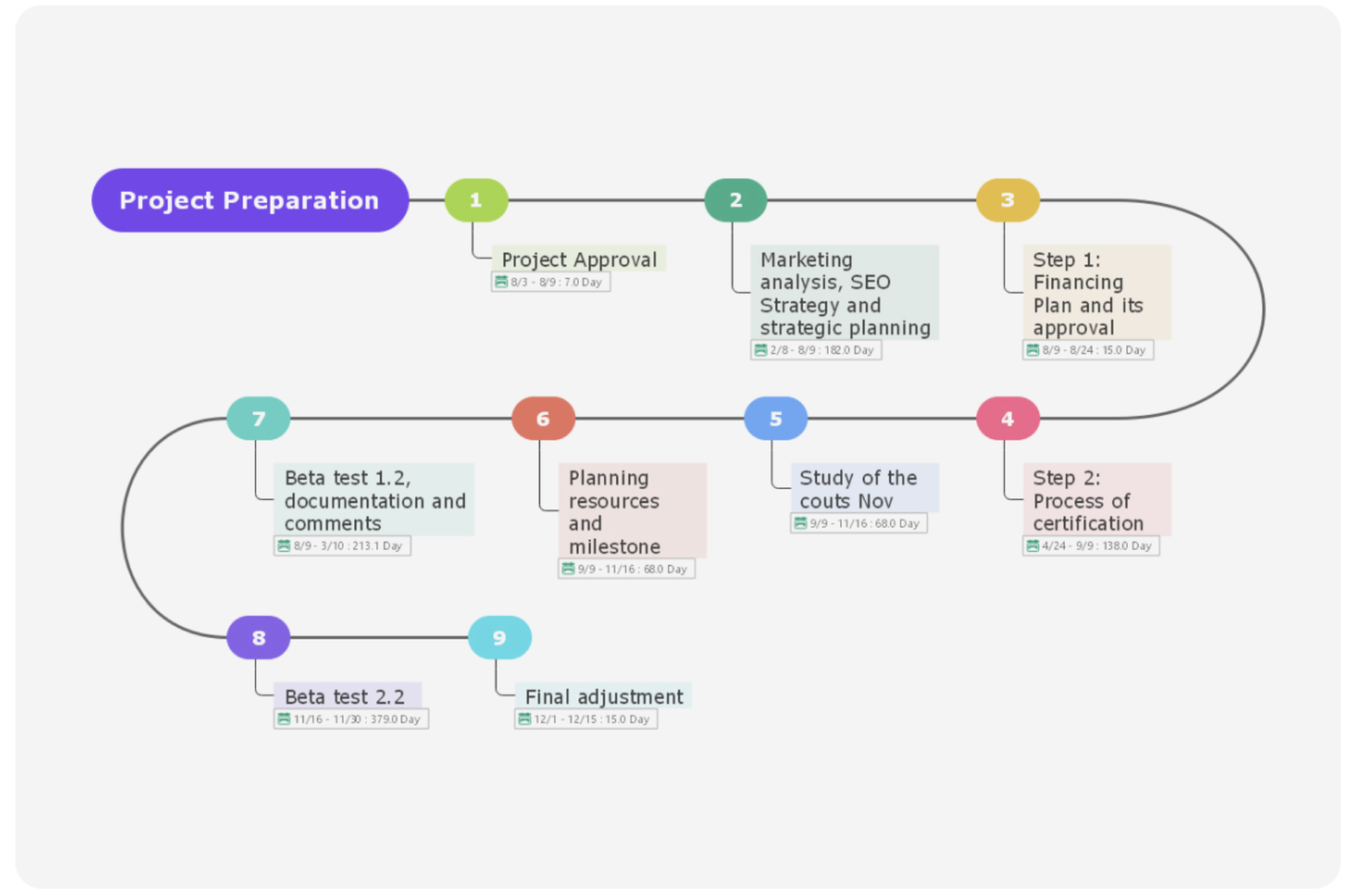
Here is a free milestone template that you can understand overview the project.
Although you need free registration for use this template, you can utilize it smoothly by description from Wondershare EdrawMind regarding how to use it.
Smartsheet.com
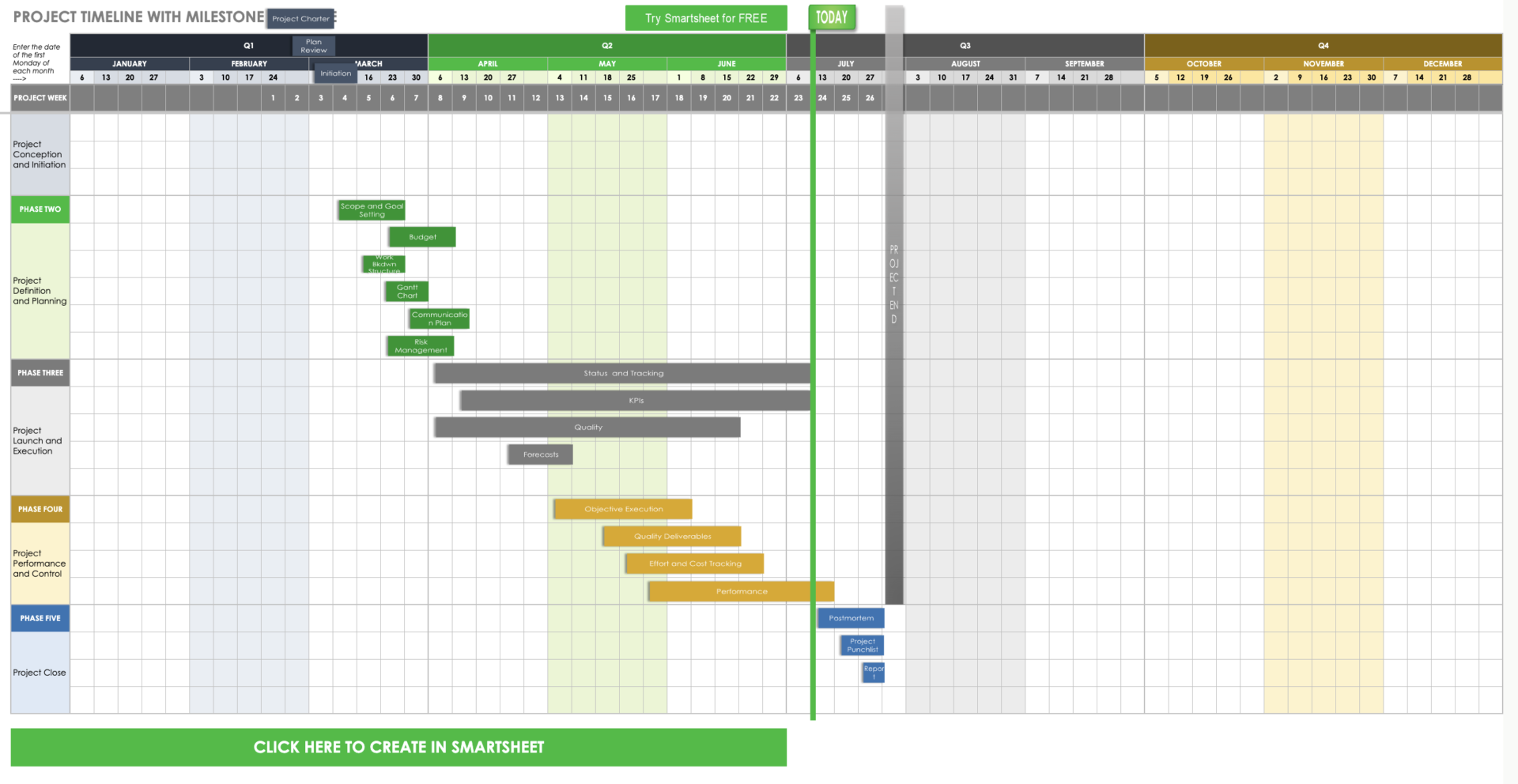
This is a template provided by Smartsheet.com allows you to manage milestones and gantt chart.
The due dates of tasks and milestones are displayed on the gantt chart in an easy-to-understand manner. Also there is feature that manage progress for each quarter.
Office Timeline
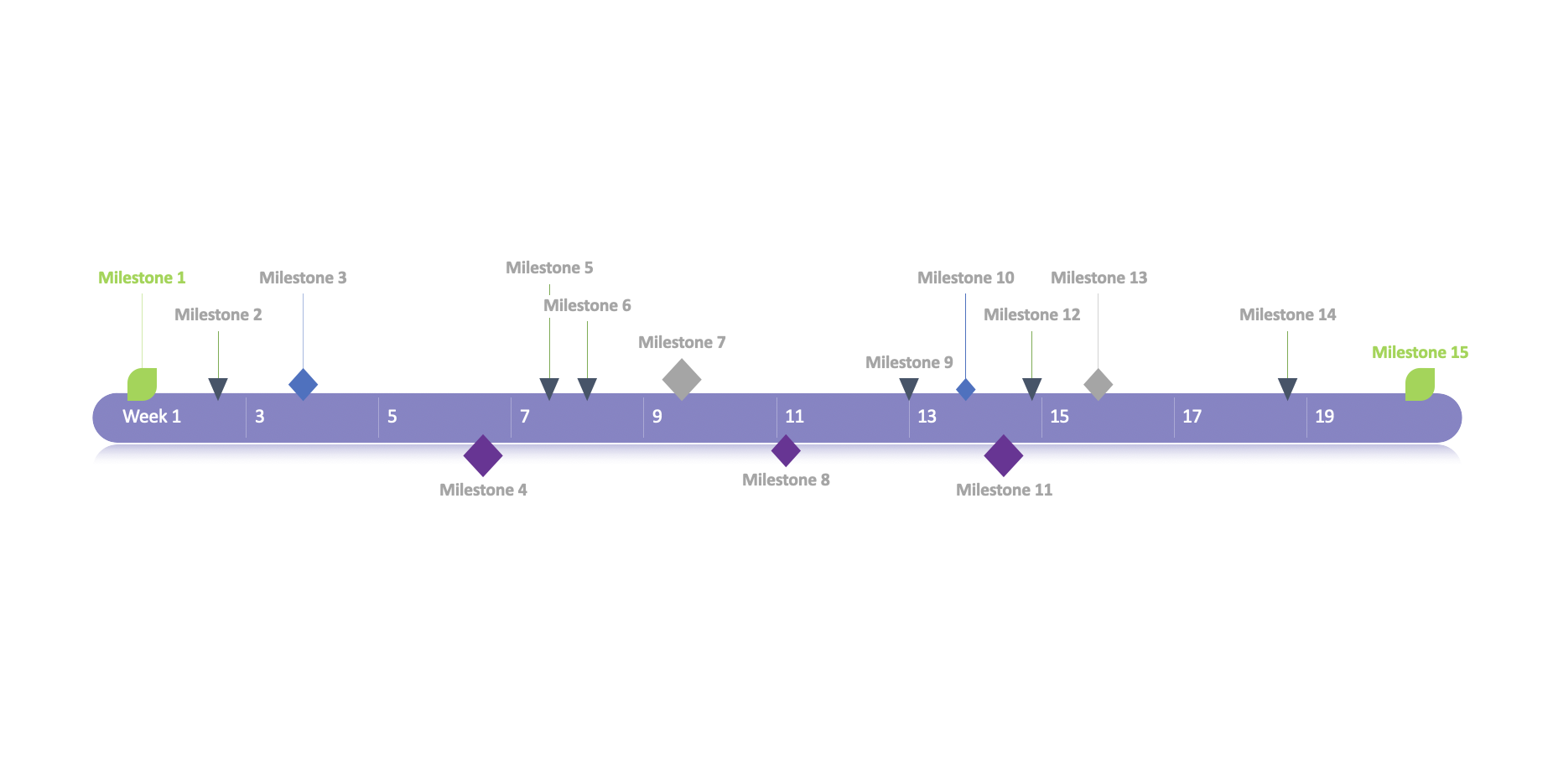
Here is a free milestone template provided by office Timeline for long term project.
It is for good to check overview of project rather than each tasks in detail, so use this template for explanation to team member to overview.
Visual Paradigm Online
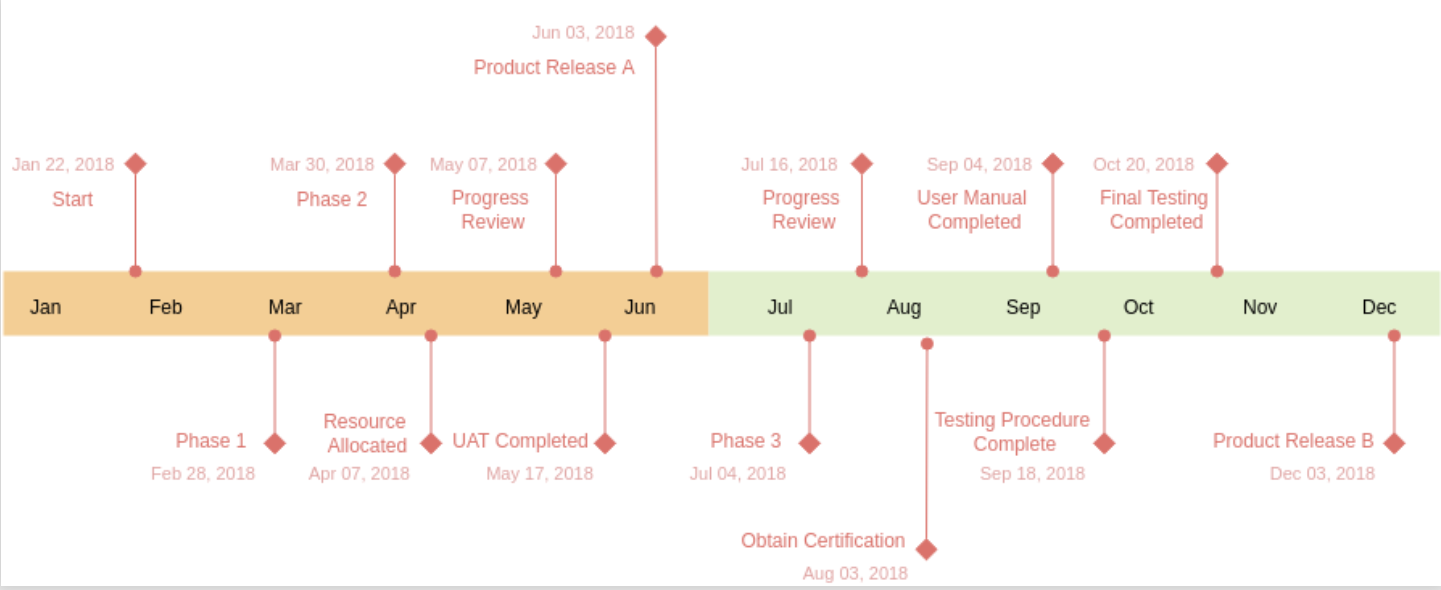
This is a simple milestone template that can manage monthly progress for project.
“Visual Paradigm Online” is free for editing the template depending on work flow of your team though, you need register for free.
SlideModel.com
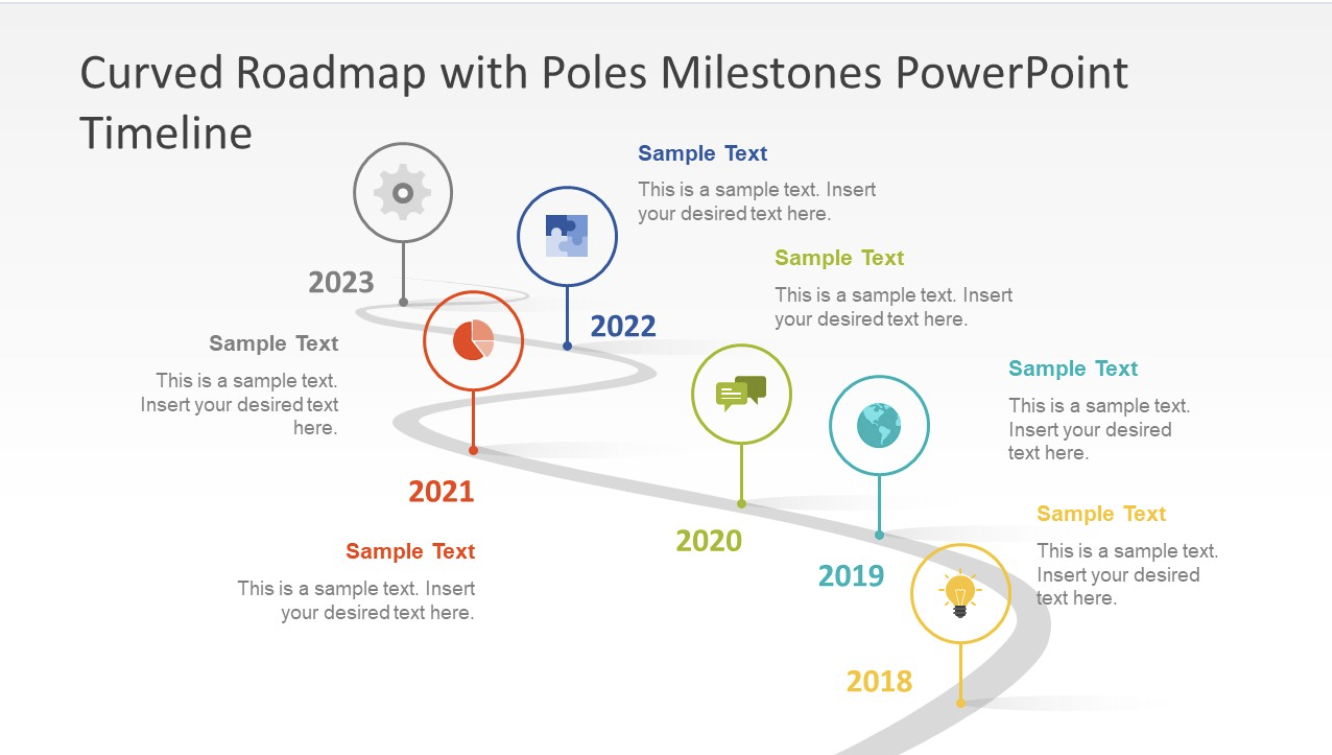
Here is a free timeline template provided by SlideModel.com to visualize milestones.
It is designed so that you can see the timeline at a glance, and you can look back at the process up to the milestone each time you reach it. Since milestone is displayed for each year, which is recommended when working on a long-term project that will take more than a year to complete.
However, note that this template is specialized for milestone management and does not allow task management. If you want to manage milestones and tasks together, introduce a task management tool such as Stock that can manage all information centrally.
Spreadsheet.com
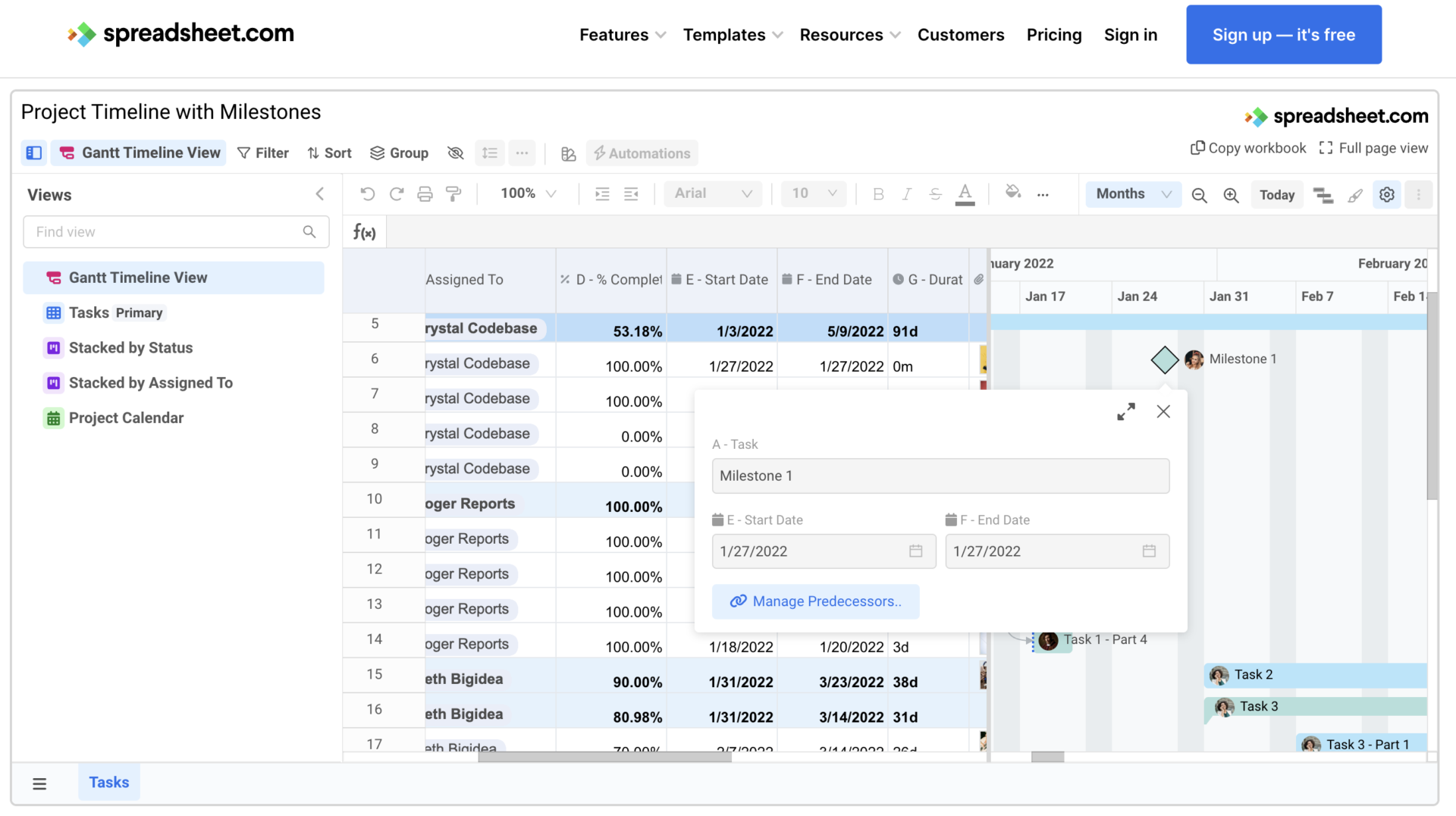
Here is a free template with gantt chart format provided by Spreadsheet.com.
Since task status of members and gantt chart on one sheet, you do not need to accross the tool to check information about the project.
Microsoft templates
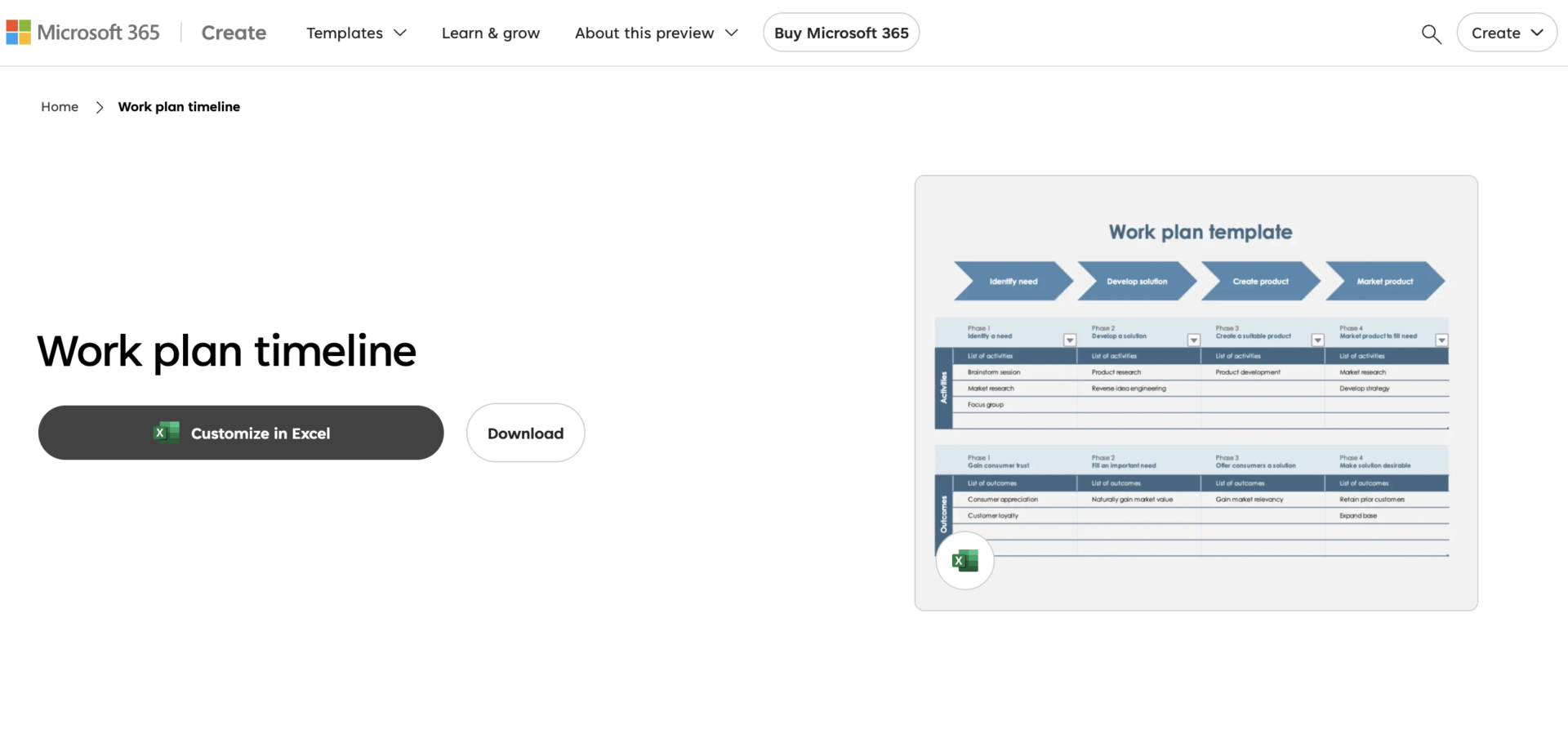
This is the business template that can understand workflow at a glance.
However, this template has a narrow memo field and does not allow you to keep details of tasks and milestones. Therefore, if you want to manage milestones and related information together, consider using a task management tool that can manage all information centrally.
Vertex42
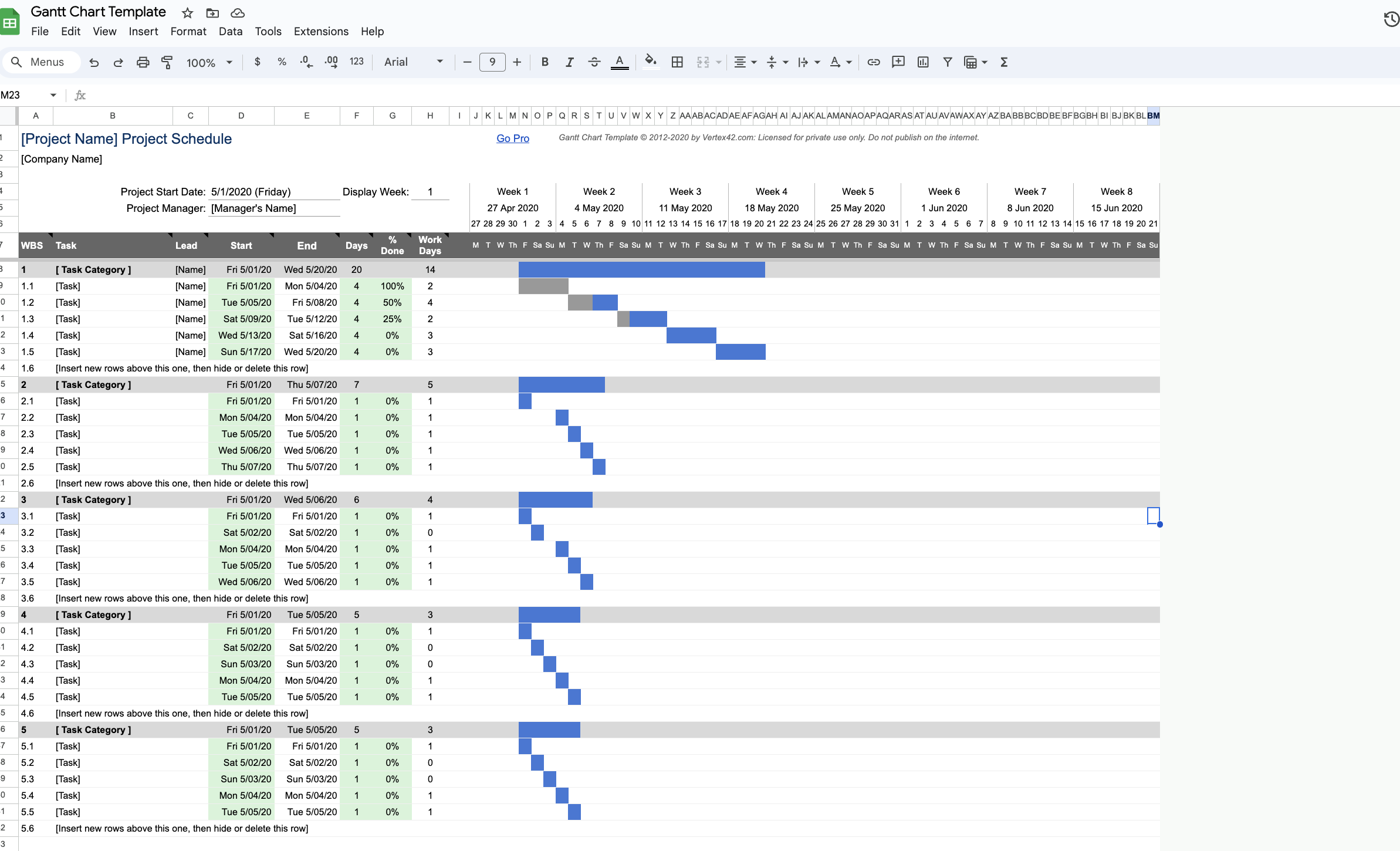
This is a free template of the project timeline provided by vertex42.
The advantage is that you can divide a project into multiple catogory, so you can look back at the project from a bird’s eye view.
Note, however, that you will have to enter information manually, which can be time-consuming to manage. Therefore, if you want to manage your project schedule easily, a task management tool like Stock, which anyone can use easily, is the best choice.
What is the easiest tool to manage milestone on your project?
Below is the best IT tool for managing and sharing milestones.
Templates make it easy to manage your milestones and provide a consistent format. However, Excel and PowerPoint are not suitable for task management because you need to open, version, and manage files every time you update them.
So, introducing a “team-based information management tool” will enable centralized management of milestones and tasks, and will prevent omissions. However, multifunctional tool is complicated to operate and do not reduce the burden of management.
Therefore, what you need for project management is only one information sharing tool Stock that is not overloaded with necessary functions and is so simple that even in a non-IT company can use it immediately without explanation.
“Note” of Stock allows you to manage milestones using a “Template” of your own creation, and the information you enter is shared in real time. In addition, “Task” associated with the Note can be narrowed down and listed by the person in charge, making it easy to track the progress of each member.
Stock|A tool that even members in non-IT companies can quickly master

The simplest tool to stock information "Stock"
https://www.stock-app.info/en/
Stock is the simplest tool to stock information. Stock solves the problem, "there is no easy way to stock information within the company".
With Stock, anyone can easily store all kinds of information, including text information such as requirements, images, and files, using the Note feature.
In addition, by using the "Task" and "Message" functions, you can communicate with each topic described in the Note, so that information is not dispersed here and there and work can always be carried out in an organized manner.
<Why do we recommend Stock?>
- A tool for companies that are not familiar with ITYou don't need to have any IT expertise to get started.
- Simple and usable by anyoneStock is so simple that anyone can use it without any unnecessary features.
- Amazingly easy information storing and task managementIt is amazingly easy to store information such as shared information within a company, and intuitive task management is also possible.
<Stock's pricing>

- Free plan :Free
- Business plan :$5 / User / Month
- Enterprise plan :$10 / User / Month
*Minimum number of users: 5 users
Summary of 8 free milestone templates
We have focused on 8 milestone templates for business.
If you use Excel or PowerPoint, you can quickly manage your milestones with templates. However, file management can easily become complicated, and it takes time and effort to send an email or chat each time you want to share them with your members.
On the other hand, a task management tool that allows real-time sharing of all information, including milestones, solves the need to share information. In addition, a tool with a search function can be used to quickly find the information you need.
In conclusion, the best tool for project and milestone management is “Stock,” an information sharing tool that can centrally manage all internal information and is equipped with advanced “search functions”. In fact, 250,000, mainly non-IT companies, have introduced this system and it solves the burden of information management and sharing.
Free registration takes only 1 minute, so using Stock and manage your milestones effectively.
