
In businesses that handle confidential information, a situation in which “We do not know where or what documents are” increases the risk of information leaks. Therefore, it is common to use a “document control ledger” to collectively manage documents.
On the other hand, many people may be concerned that their document control ledgers are difficult to understand and that it is time-consuming to check and update the ledgers.
In this issue, we will focus on how to create a document management and points to keep in mind for below people.
- “I want to organize the items in the document control ledger.”
- “Individuals are managing documents and do not know where they are”
- “I want to know how to find necessary documents efficiently.”
If you are in charge of such a situation, this article will help you create a document management ledger with no omissions so that you can quickly access the information you need.
Contents
- 1 What is a document control ledger?
- 2 3 purposes why create a document control ledger
- 3 How to operate document management
- 4 Points to keep in mind when creating a document control ledger
- 5 Essential and recommended IT tool for document management
- 6 Three points to keep in a document management ledger
- 7 Summary of complete guide of document management by ledger
What is a document control ledger?
A document control ledger is “a ledger for storing various documents” owned by a company in an appropriate form that can be used when necessary.
In the past, paper documents were generally filed and managed. In recent years, however, with the shift to digitalization, there are cases where electronic documents are managed by a system.
In addition, the document control ledger manages all information in the company by the following items.
- What documents exist (What)
- Who is managing the documents (Who)
- Where the relevant documents are managed (Where)
- When the documents must be managed (When)
- What documents are being managed. (How)
Some companies refer to a document control ledger as a “lifecycle list” or “file criteria list.”
3 purposes why create a document control ledger
Below are 3 purposes for creating a document control ledger. After correctly understanding the objectives, adopt an appropriate management method.
Objective 1|Improve accessibility to necessary information
The first objective is to improve accessibility to necessary information.
The ledger will show you “where the necessary documents are stored” so that you can find them quickly. In addition, if the documents are managed by IT tools, a search using “keywords” such as file names will automatically extract the relevant documents.
On the other hand, if there is no document management ledger, then you may have to “rely on memory to find documents,” whether analog or digital, which can be wasteful. Therefore, improving accessibility of information is one of the important purposes of a document control ledger.
Objective 2|Storage of important and confidential documents
The second objective is to store important and confidential documents.
Some documents generated in sales activities contain confidential information that must not be leaked outside the company. However, in workplaces where documents are not managed in a document control ledger, there is a risk that confidential documents will be treated the same as other documents and accidentally lost.
On the other hand, if confidential documents are clearly classified in a document control ledger, employees can handle them with care. Specifically, if the documents are managed in paper form, the keys to the cabinets should be held by managers, and if the documents are managed in data form, access should be restricted.
Objective 3|Preserve in accordance with the legal retention period
The third objective is to preserve documents in accordance with the legal retention period.
Legally preserved documents are those that are required by law to be kept for a certain period of time (1, 3, 5, 7, or 10 years). Since the retention period varies from document to document, management can be complicated, but if the documents are kept in a document control ledger, the retention period will not be overlooked.
In addition, even if the administrator changes for some reason, the document control ledger prevents the handover from taking longer than necessary.
How to operate document management
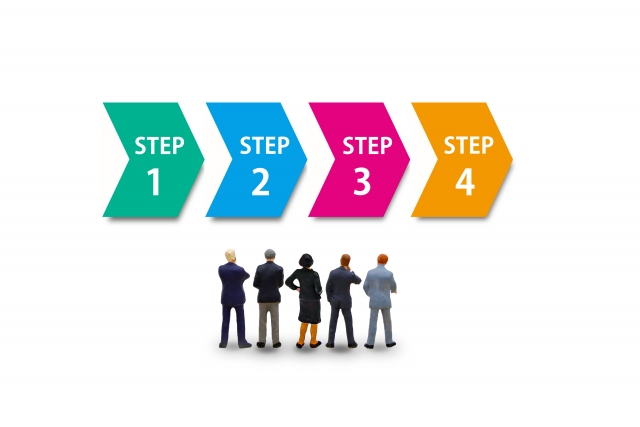
The following is a 4 step process for creating a document control ledger. If you are not sure how to proceed, this is a must.
Step 1|Grasp the current situation and classify documents
First, understand the current status of your company and categorize documents.
Specifically, ascertain the storage status, such as “What types of documents are being stored?” and “Are there any documents that are being stored independently by each department?
- Legally preserved documents: Documents whose retention period is specified by law
- Shared documents: Documents containing information that is shared both internally and externally.
- Completed documents: Documents whose creation has been completed (updated documents are the latest version)
As described above, identify and classify the documents to be stored in your company.
Step 2|Determine the items of the document control ledger
Next, define the items of the document control ledger. The name and number of items are arbitrary, but specifically the following items are listed.
- Document name
- File name/folder name
- Permission to view
- Creation date
- Creator name
- Department in charge
- Retention period
- Storage location
As stated above, define the items so that you can get an overview of “who created the document, when, and where it is located.
Step 3|Select the form of the document control ledger
Next, choose the form of the document control ledger.
There are three main types of document management ledgers: paper, electronic files such as Excel, and IT tools.
However, paper ledgers are handwritten, time-consuming, and can be lost due to human error. In addition, in the case of Excel, when updating a ledger or looking for a document, it is time-consuming to go to the trouble of opening the file and checking it.
Therefore, “IT tools that realize efficient document management” are the only choice for document management in the future. However, a simple tool like Stock that can be used intuitively from the day it is introduced is the best choice, because a tool with many functions and complicated operations is difficult to spread within a company.
Step 4|Include the information in the document control ledger
Finally, enter the necessary items in the document control ledger and you are done.
It is also important not to simply create the ledger, but to take actions such as “first introduce it in some departments and see how it goes,” and “periodically check whether it is being properly operated.
Points to keep in mind when creating a document control ledger
Here are 3 points to keep in mind when creating a document control ledger. This is important to reduce the risk of inefficient document management and information leaks.
(1) Unify the document control numbering standards
The first point to keep in mind is to standardize the numbering criteria for document control numbers. To prevent accidental discards, distinguish documents by paying attention to the following two points.
- Using alphanumeric serial numbers.
- Set alphabetic or other numbers by department or contract type.
For example, in addition to serial numbers such as “00001, 00002, 00003…”, if the alphabet “A” is assigned to the sales department, the sales department documents can be managed as “A00001, A00002, A00003…”.
As described above, by setting up a management name such as an alphabet for each department and a serial number for each document, the information which you need can be found immediately. In addition, for companies that handle a large number of documents, another method is to manage them with a date and time.
(2) Take measures against the risk of information leakage
The second point to keep in mind is to take measures against information leakage risks, regardless of the type of management, paper or data.
One of the serious damage is caused by virus infection and unauthorized access. Therefore, when managing by data, it is necessary to use tools with excellent security.
In addition, most human errors such as mislabeling, loss, and misplacing are caused by managing with paper documents. Therefore, it can be said that a shift to electronic management is required to prevent information leaks due to human error.
(3) Management with IT tools that “anyone can use”
The third point to keep in mind is to manage with IT tools that “anyone can use”.
If you are using a paper document management ledger, which is prone to human error, you need to move to an “IT tool” that is not only secure but also more efficient in management.
However, even if “IT tools with rich functions” are introduced with an emphasis on efficiency, employees with low IT literacy will not be able to use them. As a result, a strong sense of resistance to IT tools may arise, leading to a situation where “no one uses the tools even though we went to the trouble of introducing them”.
Therefore, IT tools such as Stock that can be handled by anyone, regardless of their level of IT literacy, are necessary. In particular, the IT literacy of the department or team that manages the document management ledger should be prioritized, and a free trial should be conducted first to test its usability before proceeding with full-scale implementation.
Essential and recommended IT tool for document management

Below is the best essential and recommended IT tools for document management.
Paper-based document management ledgers have disadvantages such as “human error-prone” and “poor searchability”. In addition, when documents are managed in Word or Excel, not only is it troublesome to find them in folders, but they must be opened each time they are edited.
Therefore, to manage documents safely and efficiently, IT tools should be used. However, even if they are introduced, they are meaningless if they are not used, so you must choose tools that everyone can use immediately.
In conclusion, the IT tool that should be introduced is Stock, an information management tool that can be used immediately even by anyone old in non-IT companies.
Stock’s “Notes” intuitively stock text, Word, and other files and share them in real time. It also features ISO 27001 (ISMS) international security certification, a security standard so rigorous that even large companies can implement it with confidence.
[Stock], a tool for managing documents with high security.

The simplest tool to stock information "Stock"
https://www.stock-app.info/en/
Stock is the simplest tool to stock information. Stock solves the problem, "there is no easy way to stock information within the company".
With Stock, anyone can easily store all kinds of information, including text information such as requirements, images, and files, using the Note feature.
In addition, by using the "Task" and "Message" functions, you can communicate with each topic described in the Note, so that information is not dispersed here and there and work can always be carried out in an organized manner.
<Why do we recommend Stock?>
- A tool for companies that are not familiar with ITYou don't need to have any IT expertise to get started.
- Simple and usable by anyoneStock is so simple that anyone can use it without any unnecessary features.
- Amazingly easy information storing and task managementIt is amazingly easy to store information such as shared information within a company, and intuitive task management is also possible.
<Stock's pricing>

- Free plan :Free
- Business plan :$5 / User / Month
- Enterprise plan :$10 / User / Month
*Minimum number of users: 5 users
Three points to keep in a document management ledger
Below are three points to keep in mind when creating a document control ledger. The following are three key points to keep in mind when creating a document control ledger.
(1) Set rules for document classification
The first point is to determine the rules of document classification. Types of documents include the following
- Legally preserved documents: Documents whose retention period is specified by the applicable law.
- Shared documents: Documents containing information that is shared both internally and externally through sales activities
- Completed documents: Documents whose creation has been completed, and updated documents include the latest version.
On the other hand, documents that will not be used in the future or old documents should be excluded from the scope of application of management. The above items can be used to speedily categorize documents.
(2) Make regulations on how to handle documents
The second point is to make rules on how to handle documents.
In particular, if the handling of documents that have been duplicated or edited is not clearly defined, a situation may arise where “duplicated documents are taken out” or “documents are edited without permission. As a result, the risk of information leakage increases.
Also, be sure to establish rules for document disposal. If the rules for document disposal are unclear, documents may be disposed of at the discretion of individuals, resulting in information leaks.
As mentioned above, to reduce the risk of information leaks, it is recommended to establish rules for document duplication, editing, and disposal, among others.
(3) Set up administrative privileges
The third point is to set administrator rights (rights to access documents).
For paper-based management, the most common approach is to “limit who holds the cabinet key,” and for data-based management, to “set access and editing restrictions. Such restrictions can prevent access by anyone other than specific employees.
Documents related to company profits, such as financial statements and contracts, and documents related to personal information, such as resumes and pay slips, should be given administrator privileges to prevent unintentional access.
Summary of complete guide of document management by ledger
This section has focused on the procedures for creating a document control ledger and points to note.
A document control ledger is useful for classifying company documents in an easy-to-understand manner and efficiently locating necessary items from a large volume of documents and data. In addition, documents handled in a document control ledger contain confidential information, which must be stored safely.
However, Excel requires time-consuming updating and checking, and paper ledgers have the disadvantage of being prone to human error. Therefore, IT tools that can store documents efficiently and safely are the best choice.
However, tools that are difficult to operate will be avoided, so choose an information management tool that is simple enough for anyone to use without burden, such as the Stock introduced here.
It only takes 1 minute to register for free, so using Stock to create a document management ledger and set up a system to manage your company’s documents safely and efficiently.
