

Extensive functionality of Notion can be used for a wide range of applications to improve operational efficiency. However, there are many companies that have implemented Notion, but are considering switching, saying that it has too many functions for their company to use.
Therefore, there are many companies that want a tool that has functions like Notion but fits company needs.
In this issue, we will focus on the top 5 tools to replace Notion and their selection points for below people.
- “I am looking for a tool to replace Notion”
- “I want a tool that is simple to use if not Notion”
- “I want to know which alternative app will quickly spread throughout the company”
If so, this article will help you find not only the key points for selecting a Notion alternative, but also the best app for your company.
Contents
- 1 Why should you consider moving away from Notion?
- 2 What are the 3 key points for selecting a replacement tool for Notion?
- 3 Top 5 alternative tools to switch to from Notion
- 3.1 【1st】 Stock: The easiest tool to stock and keep information of your team
- 3.2 【2nd】 Evernote: A tool for recording and organizing ideas
- 3.3 【3rd】 Google Workspace: A tool for all types of work styles
- 3.4 【4th】 Trello: A tool to ease the burden of project management
- 3.5 【5th】 Coda: A tool for building database with many functions
- 4 Summary of top 5 tools as Notion alternatives and selection points
Why should you consider moving away from Notion?
Here are some comments from users who have actually used Notion, many of whom have said that “it was difficult to operate”.
*Reviews and opinions presented here are taken from G2 reviews.
Carly R. (Posted on: 7/5/2022)I am not an engineer, and I feel like this tool was built for engineers. The way that our tasks are configured and the number of steps to duplicate a task, plus all the dependencies that are pulled over make it extremely complex. Many people on our team are scared to use Notion for fear that something they do will break our system. It is not a visually simple tool either, like Asana for example.
Verified User in Computer Software (Posted on: 5/29/2022)The user experience is not intuitive. When trying to implement Notion our team struggled so much to get to grips with the interface that we had to revert back to Asana.
Verified User in Retail (Posted on: 11/1/2022)– Jira experience feels better, especially when you’re using products from the same company (Confluence), and everything seems to just link to each other better. Because Notion is a separate application on its own, it obviously isn’t easily integrated with other products you use.– Not as visually appealing compared to Trello
What are the 3 key points for selecting a replacement tool for Notion?
Below are 3 points to consider when selecting a replacement tool for Notion. This is a must-see for those in charge of the project to avoid the trouble of “having introduced an alternative tool, but it does not penetrate back into the field”.
(1) Are there too many or not enough functions?
The first point is to make sure that there are not too many or not enough functions.
For example, if a tool does not have enough functions, you may not be able to work smoothly, or you may have to use it in combination with other tools. On the other hand, if the tool has too many functions, employees will not be able to use all of them, which will in turn cause them burden.
Therefore, you should not make a decision based solely on name recognition, but rather on whether or not your company has enough or not enough functions to meet your company needs.
(2) Can anyone use it?
Second, it is important that the tool is easy to use, so that anyone can use it.
If the tool is difficult to use, it will take time for employees to master it. In addition, in some cases, it may be necessary to give a lecture on how to operate the tool, which may interfere with normal business operations.
As described above, there is no point in switching from Notion to a tool that reduces operational efficiency. Therefore, use a tool that can be easily operated by anyone.
For example, Stock, with its simple functionality of “Note”, “Task”. and “Message”, can be used intuitively even by those in non-IT companies.
(3) Immediate access to information.
Third, choose a tool that allows immediate access to information.
Even if you have all information in one tool, if you do not know “where and what”, you will not be able to look back at the information when you need it. As a result, there will be differences in perception of the work among members, and the work will be personalized to a specific person.
Information should be managed appropriately and a system should be in place to allow immediate access to it. For example, in addition to “files,” which can divide information into two levels, a tool with a “search function” that allows you to narrow down keywords by text or title will help you find information quickly.
Top 5 alternative tools to switch to from Notion
Below are the top 5 ranking that is alternatives to switch from Notion.
Notion is so full of functions that it is called an all-in-one app, and is useful for many companies. On the other hand, it tends to be unsuitable for those who are not good at IT or who want to use it simply, as in the opinion that “it has too many functions and is difficult to use”.
Therefore, a tool that “has not too many or not enough necessary functions and can be easily used by anyone” should be chosen as a replacement for Notion.
In conclusion, the tool that should be chosen as an alternative to Notion is Stock, a tool that allows users to organize text, images, and files into “Note” and centralize the management and sharing of information.
Note of Stock can be divided into two levels of “File” by category, so there is no need to worry about information getting scattered. You can also use it as a chat tool and task management tool by using “Task” and “Message” associated with the notebook not to mix up topics.
【1st】 Stock: The easiest tool to stock and keep information of your team

The simplest tool to stock information "Stock"
https://www.stock-app.info/en/
Stock is the simplest tool to stock information. Stock solves the problem, "there is no easy way to stock information within the company".
With Stock, anyone can easily store all kinds of information, including text information such as requirements, images, and files, using the Note feature.
In addition, by using the "Task" and "Message" functions, you can communicate with each topic described in the Note, so that information is not dispersed here and there and work can always be carried out in an organized manner.
<Why do we recommend Stock?>
- A tool for companies that are not familiar with ITYou don't need to have any IT expertise to get started.
- Simple and usable by anyoneStock is so simple that anyone can use it without any unnecessary features.
- Amazingly easy information storing and task managementIt is amazingly easy to store information such as shared information within a company, and intuitive task management is also possible.
<Stock's pricing>

- Free plan :Free
- Business plan :$5 / User / Month
- Enterprise plan :$10 / User / Month
*Minimum number of users: 5 users
【2nd】 Evernote: A tool for recording and organizing ideas
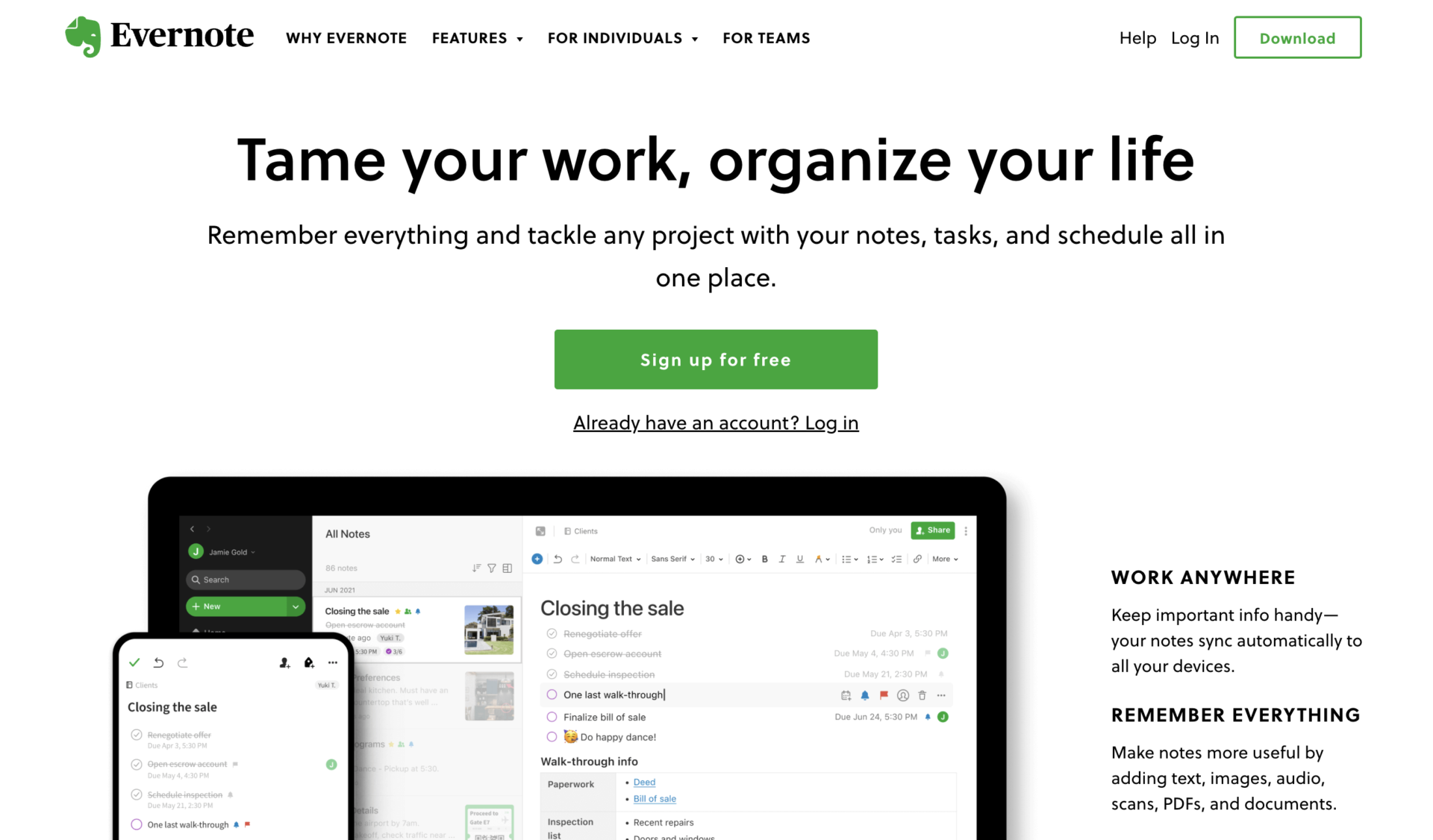
<Features of Evernote>
- Can be linked to external tools
- Web clipper function
By linking with Google Calendar, you can not only manage your schedule, but also keep background information of your appointments.
URLs and images on the Web can be directly saved in Evernote, allowing you to manage information more conveniently and centrally than bookmarks.
<Notes of Evernote>
- The FREE plan does not allow you to try out many features.
- Plan prices have been revised effective May 1, 2023
With the FREE plan, you can only register 2 devices and upload 60MB of data per month, so it is difficult to judge whether to use in your company continuously.
Following on from 2016 and 2021, the price will be revised in 2023, and there are concerns about further price increases in the future.
<Price of Evernote>
- FREE: Free of charge
- PERSONAL (for individuals): $14.99/month (monthly payment)
- PROFESSIONAL (for individuals): $17.99/month (monthly payment)
- EVERNOTE TEAMS (for business teams):$14.99/user/month (monthly payment)
【3rd】 Google Workspace: A tool for all types of work styles

<Features of Google Workspace>
- Multiple ways to communicate
- All the functions of Google Apps are integrated
You can choose the method of contact according to the situation, such as chat, email, video call, etc.
With Google Workspace, you can use a comprehensive set of business features that are available in other Google apps.
<Notes of Google Workspace>
- Important information can be lost
- Difficult to manage information
With email and chat communication, it is easy for information to flow, and it can be troublesome to look back on messages and miss important information.
When you have multiple places to manage information, such as Google documents, Google sheets, and Google drives, it can be difficult to instantly know where everything is.
<Price of Google Workspace>
- Business Starter: $6/user/month (monthly payment)
- Business Standard: $12/user/month (monthly payment)
- Business Plus: $18/user/month (monthly payment)
- Enterprise: You need inquiry
【4th】 Trello: A tool to ease the burden of project management
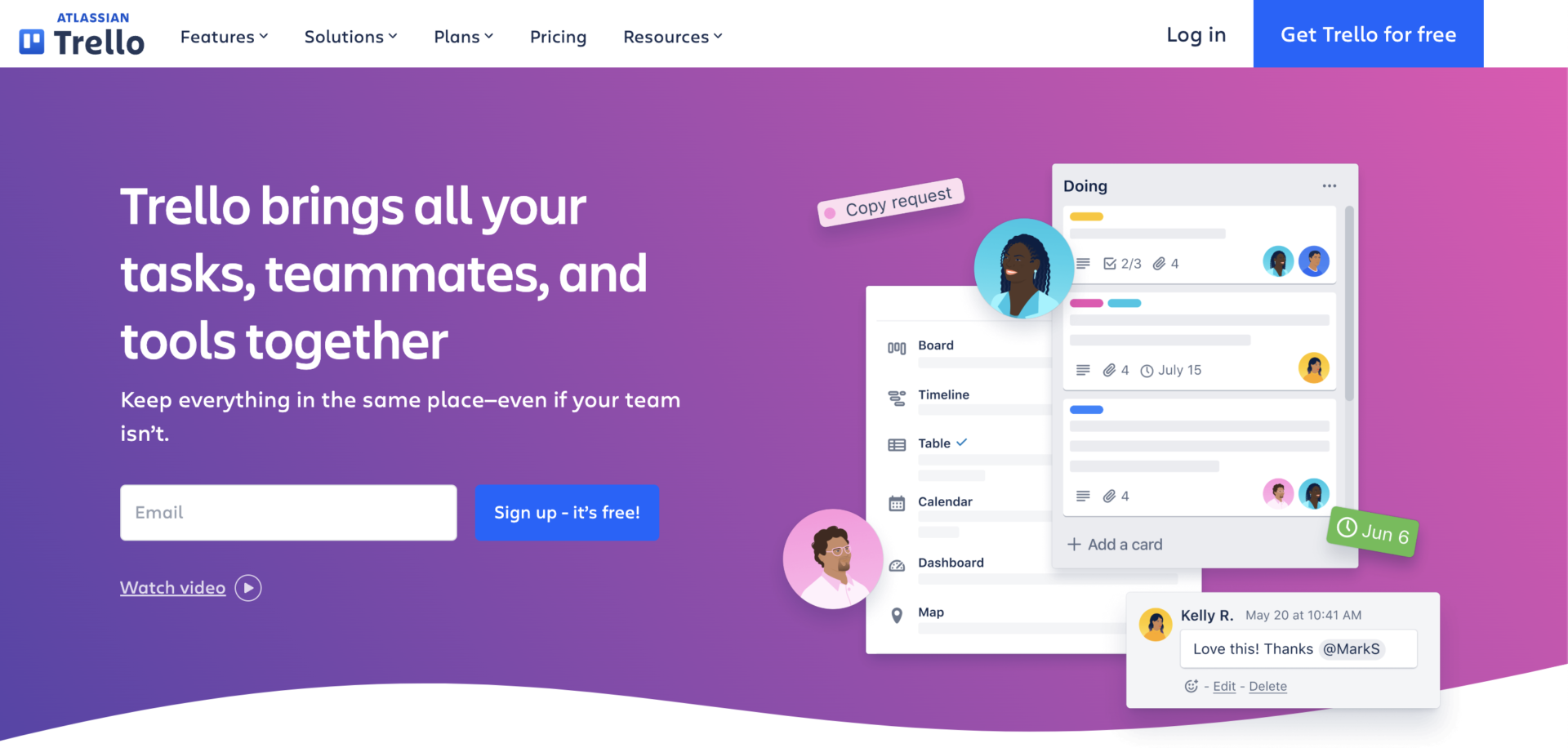
<Features of Trello>
- Tasks can be managed in units of “cards”
- Multi-device support
Tasks can be managed in units of “cards,” which can be labeled and checklists can be used to make them visually easier to understand.
Trello can be used not only from PCs, but also from smartphones and tablets, so there is no need to worry about time or location.
<Note of Trello>
- Tends to be geared toward large companies
While ENTERPRISE can hold down the unit price per user as the number of users increases, it can be difficult for team to use with a small number of users.
<Price of Trello>
- FREE: $0
- STANDARD: $6/user/month (monthly payment)
- PREMIUM: $12.50/user/month (paid monthly)
- ENTERPRISE: ~$17.50/user/month
【5th】 Coda: A tool for building database with many functions
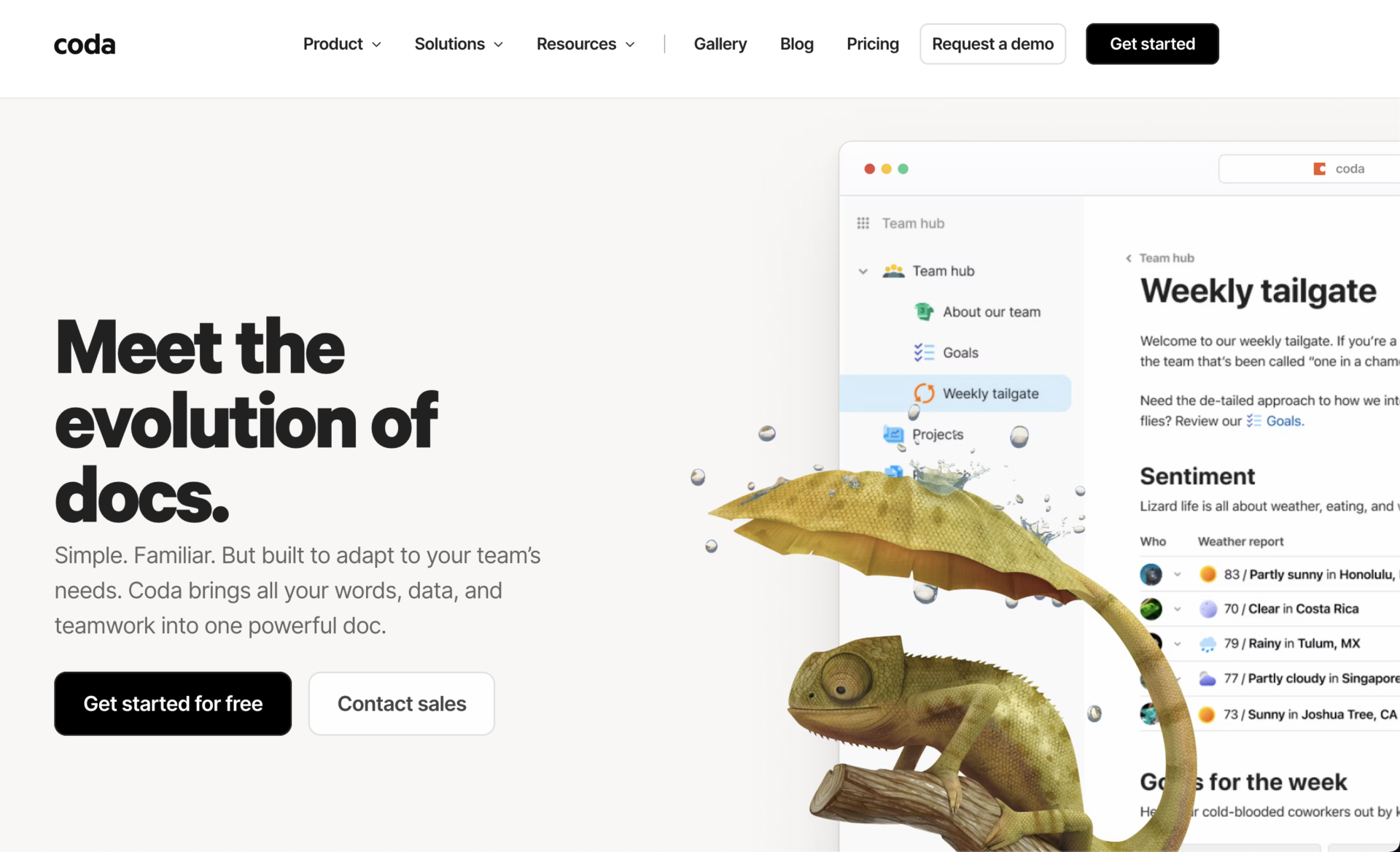
<Features of Coda>
- Multifunctional tools for various case
- Major companies use Coda
The functions of Coda that can consolidate the database, accumulate information, support by AI assistant, makes productivity of team better.
The major companies such as “The New York Times”, “TED”, “BuzzFeed”, and used by 25,000 teams or more.
<Note of Coda>
- There is restriction of Free plan
While you can use Coda for free as registering Free plan, there are some restrictions that limitation regarding amount of object per note, and about number of integration apps.
<Price of Coda>
- Free: Free of charge
- Pro: $12/user/month (monthly payment)
- Team: $36/user/month (monthly payment)
- Enterprise: You need inquiry
Summary of top 5 tools as Notion alternatives and selection points
We have focused on top 5 tools of Notion alternatives and selection points for replacing Notion.
When switching from Notion, we recommend that you implement a tool that satisfies the following 3 points: “Functionality is not excessive or insufficient”, “Easy to operate by anyone”, and “Having good accessibility to information”.
In the unlikely event that a tool does not meet these criteria, the situation will repeatedly occur where “we have introduced a tool, but we are not able to use it within the company”.
In conclusion, the best choice for Notion to switch to is “Stock,” a simple tool that allows centralized management of all information and can be used immediately even by a member in a non-IT company.
Free registration takes only 1 minute, so implement Stock and improve your business efficiency more easily than Notion.
