

In recent years, the emergence of IT tools for tax accountant offices is important. Specifically, IT tools are being used to automate clerical work and go paperless in order to alleviate labor shortages.
Therefore, the introduction of IT tools is indispensable for tax accountant firms to operate efficiently. However, there are probably many people who are worried that they do not know which tools to introduce.
In this issue, we will focus on 5 best tools for accounting and productivity of tax accountant for below people.
- “We want to make our business more efficient because the number of advisory clients has increased and we are no longer able to run our business.”
- “I am having trouble keeping track of which clients I have talked about with them.”
- “I am looking for a tool that is easy to use, even if I am not an IT expert.”
If you are looking for a tool that is easy to use even if you are not an IT expert, this article will not only help you find the best tool for your business, but will also give you a concrete image of how to use it.
Contents
- 1 Business challenges in a certified public tax accountant’s office
- 2 How to solve the challenges of tax firms?
- 3 What types of tools are highly compatible with tax firms?
- 4 5 best tools for accounting and tax consulting firms
- 5 Comparison chart of 5 recommended tools for tax accounting firms
- 6 Summary of recommended tools for tax accounting firms
Business challenges in a certified public tax accountant’s office
Below we describe 3 challenges that a tax accountant’s office faces. It is meaningless unless the tool can solve the challenges of the firm, so clarify the challenges before selecting the right tool.
Information is disorganized
The first challenge is the lack of organized information on advisory clients.
Since a tax firm will have dozens or more jobs going on at the same time, there is a vast amount of information to manage. Therefore, without proper management rules, this can lead to problems with missing necessary documents.
However, if you create management rules that are too complicated in an attempt to organize the information correctly, it will be easy to feel burden during operation. Therefore, if you introduce “IT tools that allow anyone to easily sort information,” the rules will become less complicated and you will have a system in place that makes it easy to manage documents.
Overtime work during busy season
The second issue is that overtime is likely to occur during busy periods.
Increased overtime and working on holidays can lead to a loss of concentration due to fatigue, resulting in the occurrence of work errors. Therefore, we should work on improving operational efficiency, such as automating simple tasks with IT tools.
IT literacy differs among staff
The third issue is the strong difference between “IT-savvy” and “IT-illiterate” tax accountants.
Statistics show that most tax accountants belonging to licensed tax accountant firms are in their 60s or older, and the average age of tax accountants is increasing every year. Therefore, there are many cases where there is concern that the tax accountants belonging to the firm will not be able to use the system, and they are unable to introduce IT tools.
Therefore, select a simple tool like Stock that is not overloaded with necessary functions. Simple IT tools do not have excessive functions, so they can be put into operation on the same day they are introduced and can continue to be used at a low cost.
How to solve the challenges of tax firms?
In conclusion, the challenges of a tax accounting firm can be solved with “IT tools”.
The 3 main challenges are “information disorganization,” “overtime,” and “IT literacy gaps”. Therefore, by using IT tools, the following effects can be obtained for each of these issues.
- Information disorganization
- Overtime work is required during busy periods
- IT literacy varies among staff
With IT tools, documents can be organized into folders for each advisor. Furthermore, some services allow you to set “tasks” for documents such as tax returns so that you do not forget deadlines, thus preventing omissions of correspondence.
With IT tools that enhance productivity of work, time-consuming tasks can be completed in a shorter amount of time, allowing more time to be devoted to more specialized tasks.
Some IT tools emphasize that they are “multi-functional and can do everything”, but if IT literacy differs among staff members, they will not all be able to use them and they will not be widely adopted. Therefore, if the IT tool does not have too many or too few necessary functions, it is easy to operate and can be operated at low cost.
As described above, IT tools have features that can accurately solve the three problems that plague tax accountants.
What types of tools are highly compatible with tax firms?
Below are 5 types of tools that are useful for tax firms. We have carefully selected the tools here that are directly related to improving operational efficiency, so you can gain a better understanding of IT tools and identify the best ones.
(1) Information sharing tools
In conclusion, the most appropriate tool for a tax accountant’s office is an information sharing tool.
Information sharing tools allow you to easily separate documents by advisory client, so it takes less time to access them. In addition, some tools allow the setting of “tasks” that remind you of deadlines for each document, making them ideal for managing tax documents that you cannot afford to forget to submit.
In addition, managed documents are updated in real time, solving the possibility of miscommunication within the office. In addition, information sharing tools with access privileges, such as Stock, can be set up so that only members of the firm can view the information.
Thus, “information sharing tools” are suitable for tax firms that manage all kinds of information at the same time and have many tasks with strict deadlines.
(2) Online Storage
Online storage contributes to the operations of a tax firm through the protection of information.
Files uploaded to online storage can be viewed by any staff member regardless of location or time. In the unlikely event that a PC is damaged, the online storage can be accessed from another device, so there is no need to worry about not being able to view important documents.
In this way, online storage prevents the loss of information and contributes to the uninterrupted operation of a tax accounting firm. Note, however, that files managed in online storage require the tedious process of “bothering to open, edit, and save”.
(3) Communication tools
Communication tools will help to divide the workload within the tax accountant’s office.
With communication tools, work requests and progress reports can be made regardless of location or time. In addition, chat tools, which are a type of communication tool, enable speedy exchanges that are more like conversations than e-mails.
In this way, communication tools streamline interactions among staff members and increase the speed of work. Note, however, that many communication tools have the drawback that important information may be lost and difficult to find.
(4) Cloud accounting tools
Cloud accounting tools can streamline key tasks for tax accountants.
Unlike traditional accounting tools, cloud accounting tools automatically synchronize data so that the latest data can always be shared between the advisor and the office. Also, since the data is stored in the cloud, there is no need to worry about losing access to it in the event of PC damage.
Today, there are tools that automatically input account and credit card transaction data, so it is possible to perform administrative tasks that once had to be performed by a tax accountant on behalf of the client. In this way, cloud accounting tools contribute to operational efficiency through real-time sharing and automatic entry.
(5) RPA tools
RPA (Robotic Process Automation) tools prevent operational errors and improve the efficiency of tax accountants’ work.
RPA tools accurately execute tasks according to defined rules. For example, manual input of numerical data is prone to human error, but this is not a problem with RPA tools.
Therefore, RPA tools can improve the quality of work by preventing input errors, and also lead to trust in your company.
5 best tools for accounting and tax consulting firms
Below are five best tools for tax firms to manage information about accounting.
IT tools are indispensable for tax firms because they must properly manage all kinds of information. In particular, IT tools with functions to manage information for each advisory client and to set deadlines for each tax document will improve the work that used to be time-consuming.
However, it is said that currently more than half of tax accountants are over 60 years old, and since the majority of this generation is not familiar with IT tools, they may not be able to use them. Therefore, the best option is not a multifunctional and complicated one, but an “IT tool that is not excessive or lacking in necessary functions.
In other words, what a tax accountant’s office should utilize is Stock, which has “Folder” to organize notes for each advisory client and “tasks” to manage deadlines, and which anyone in non-IT firm can use immediately.
In Stock, you can write correspondence with advisory members into “Note” and store them in their respective “Folder” to prevent information from getting mixed up. There is also a “One folder guest” feature that allows you to invite members of your business partners to a specific folder, making the communication smoother than before.
Stock| The easiest tool to stock information

The simplest tool to stock information "Stock"
https://www.stock-app.info/en/
Stock is the simplest tool to stock information. Stock solves the problem, "there is no easy way to stock information within the company".
With Stock, anyone can easily store all kinds of information, including text information such as requirements, images, and files, using the Note feature.
In addition, by using the "Task" and "Message" functions, you can communicate with each topic described in the Note, so that information is not dispersed here and there and work can always be carried out in an organized manner.
<Why do we recommend Stock?>
- A tool for companies that are not familiar with ITYou don't need to have any IT expertise to get started.
- Simple and usable by anyoneStock is so simple that anyone can use it without any unnecessary features.
- Amazingly easy information storing and task managementIt is amazingly easy to store information such as shared information within a company, and intuitive task management is also possible.
<Stock's pricing>

- Free plan :Free
- Business plan :$5 / User / Month
- Enterprise plan :$10 / User / Month
*Minimum number of users: 5 users
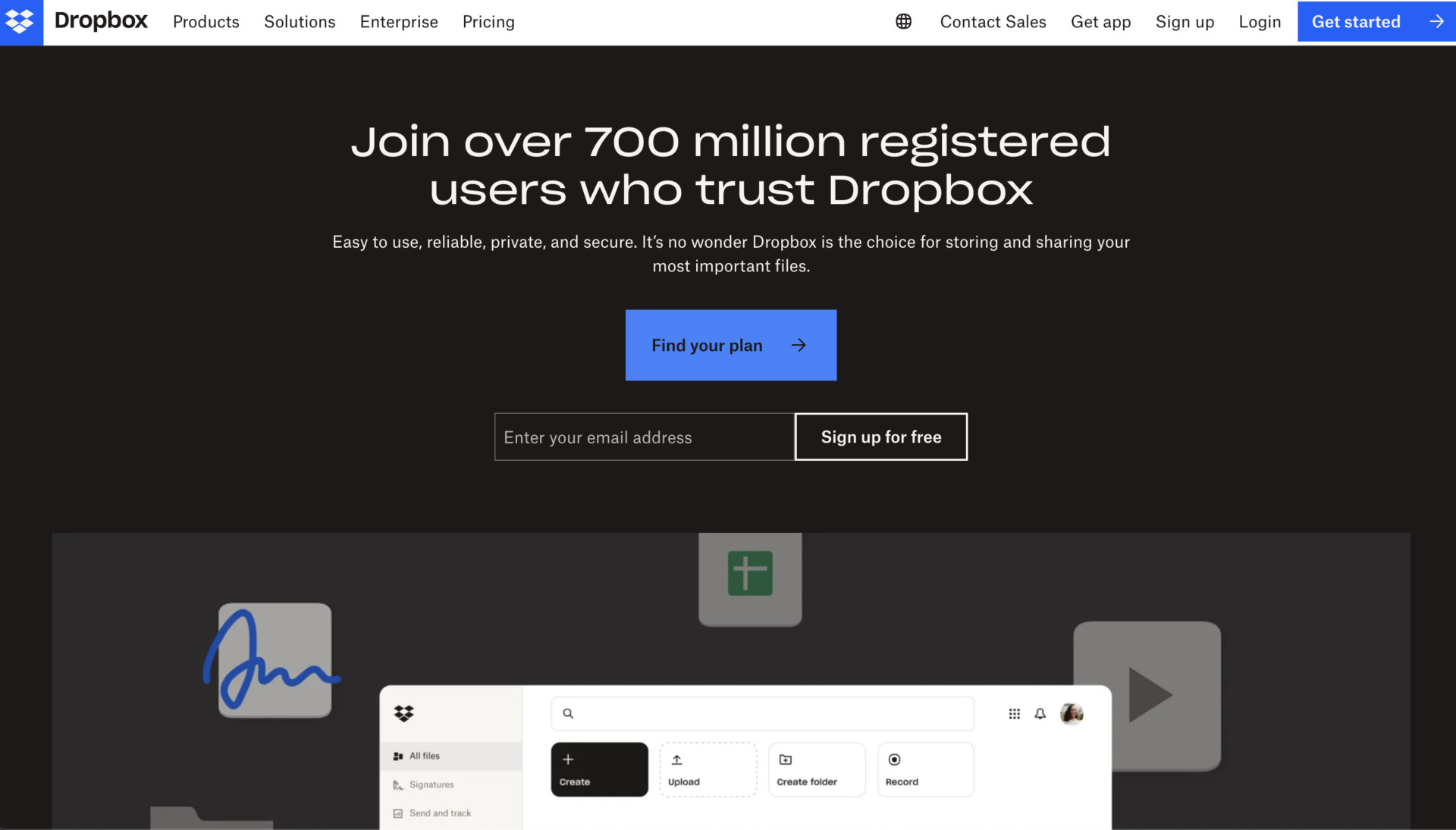
Features of Dropbox
- All information can be stored in the cloud
- Easy to share
By storing documents in the cloud, you can access them from another device even if your PC fails.
Easy to create shared folders for smooth sharing among staff members.
Actual image of Dropbox
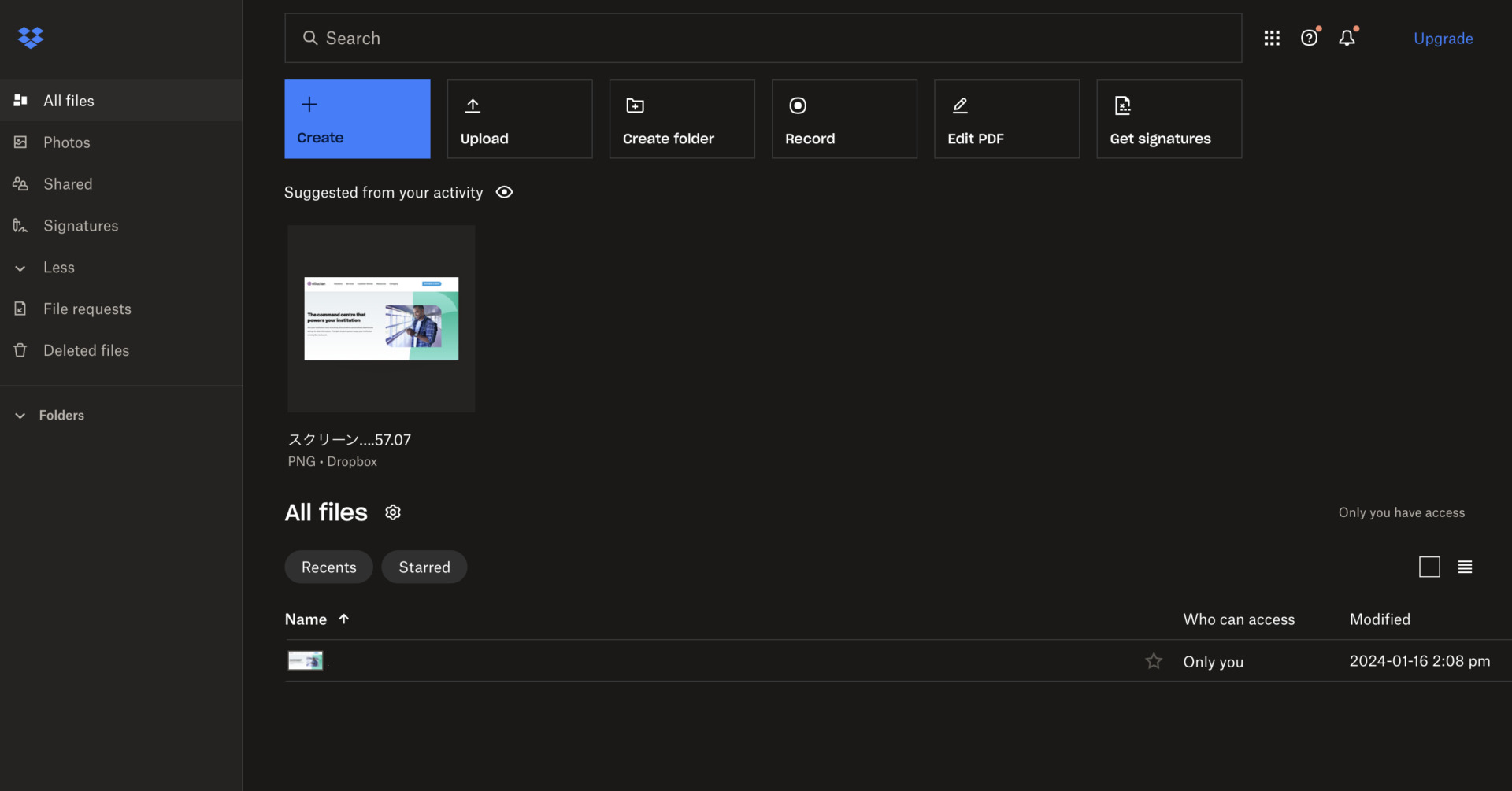
- Easy creation of folders within folders
Folders can be created from the [Create] button, and further folders can be created within a folder to create a hierarchy. However, be careful not to create too many folders, as the deeper the folder hierarchy, the more likely it is that necessary data will be buried.
Deleted files,” which generally corresponds to the Trash function, allows you to filter deleted files by time period and user name. Thus, it is useful in case you accidentally delete a file.
Note of Dropbox
- Must be used in conjunction with other tools
Dropbox is specialized for file management, so it does not have functions for strict task management or smooth communication.
Pricing of Dropbox
- Plans for individuals
- Plans for Businesses
Plus: 1,200 JPY/month (monthly payment)
Professional: 2,000 JPY/month (monthly payment)
Standard: 1,500 JPY/user/month (monthly payment)
Advanced: 2,400 JPY/user/month (monthly payment)
Enterprise: You need inquiry.
Clockify| A tool for accounting information tracking like invoice
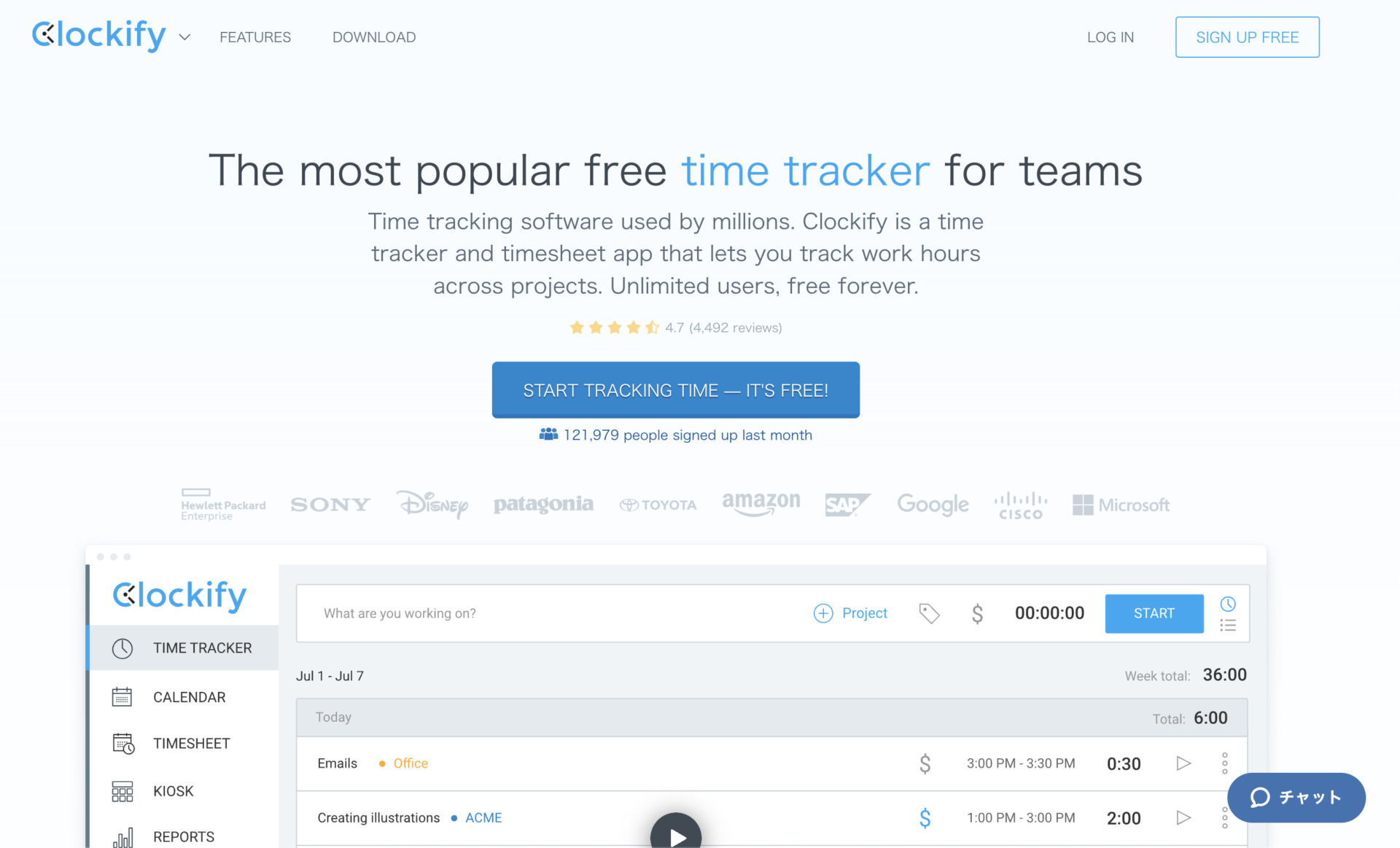
Features of Clockify
- Time tracking tool
- Plenty of templates
Clockify is for time tracking that lets you track all of information such as work hours, across projects and so on.
Once you start the download of templates from Clockify, and open the file, you can choose templates freely all of them. You can download without registration for Clockify.
Actual image of Clockify
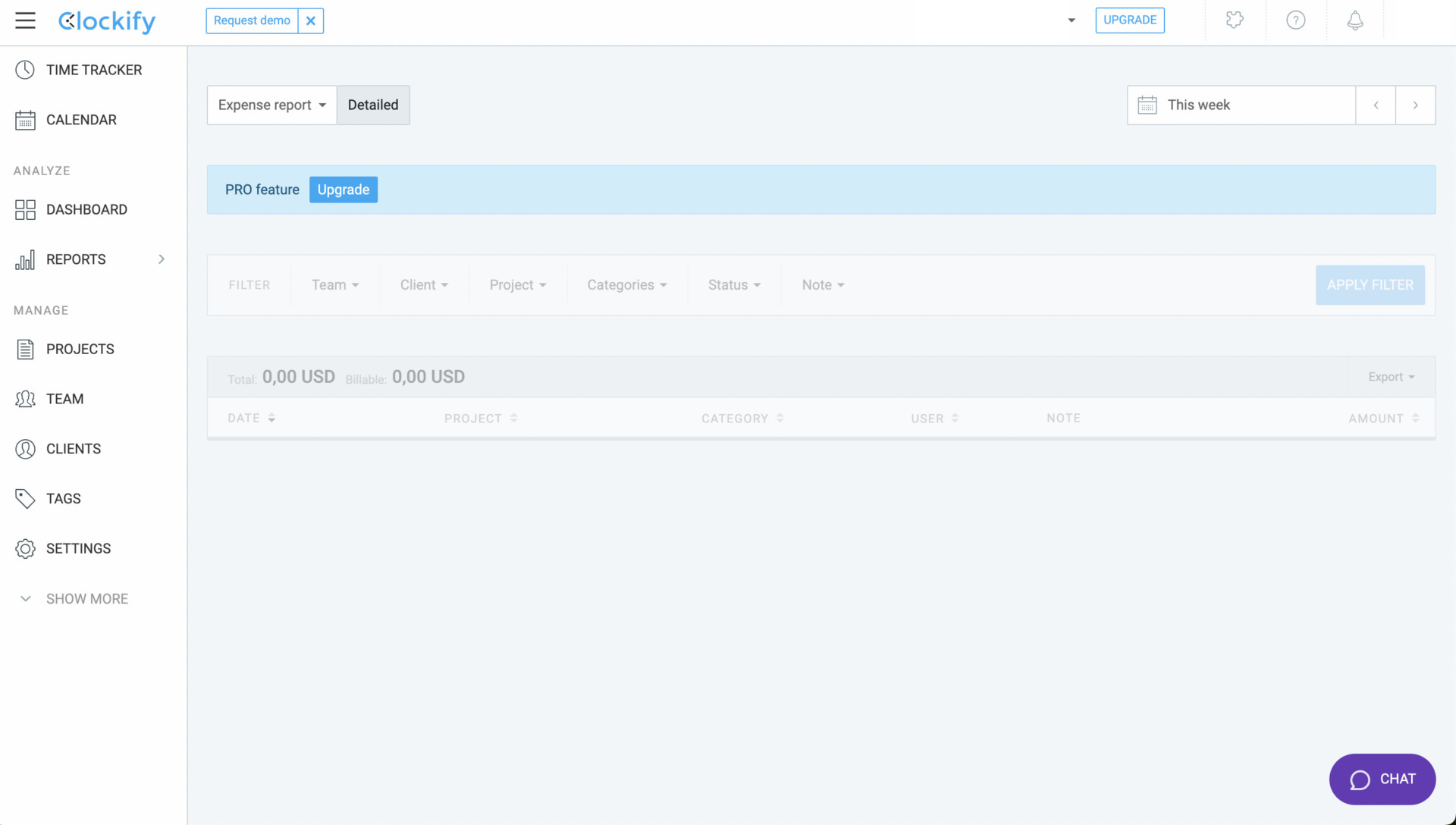
- Managing the accounting information in Reports tab
If you already stored information in “Reports”, you can access immediately it.
Notes of Clockify
- Some restriction regarding accounting in Basic plan
If you manage Labor cost, profit, Budget, and estimates, you should register the Pro plan or more.
Pricing of Clockify
- Basic: $3.99/user/month (annually payment)
- Standard: $5.49/user/month (annually payment)
- Pro: $7.99/user/month (annually payment)
- Enterprise: $11.99/user/month (annually payment)
Xero| A tool with a wide range of functions
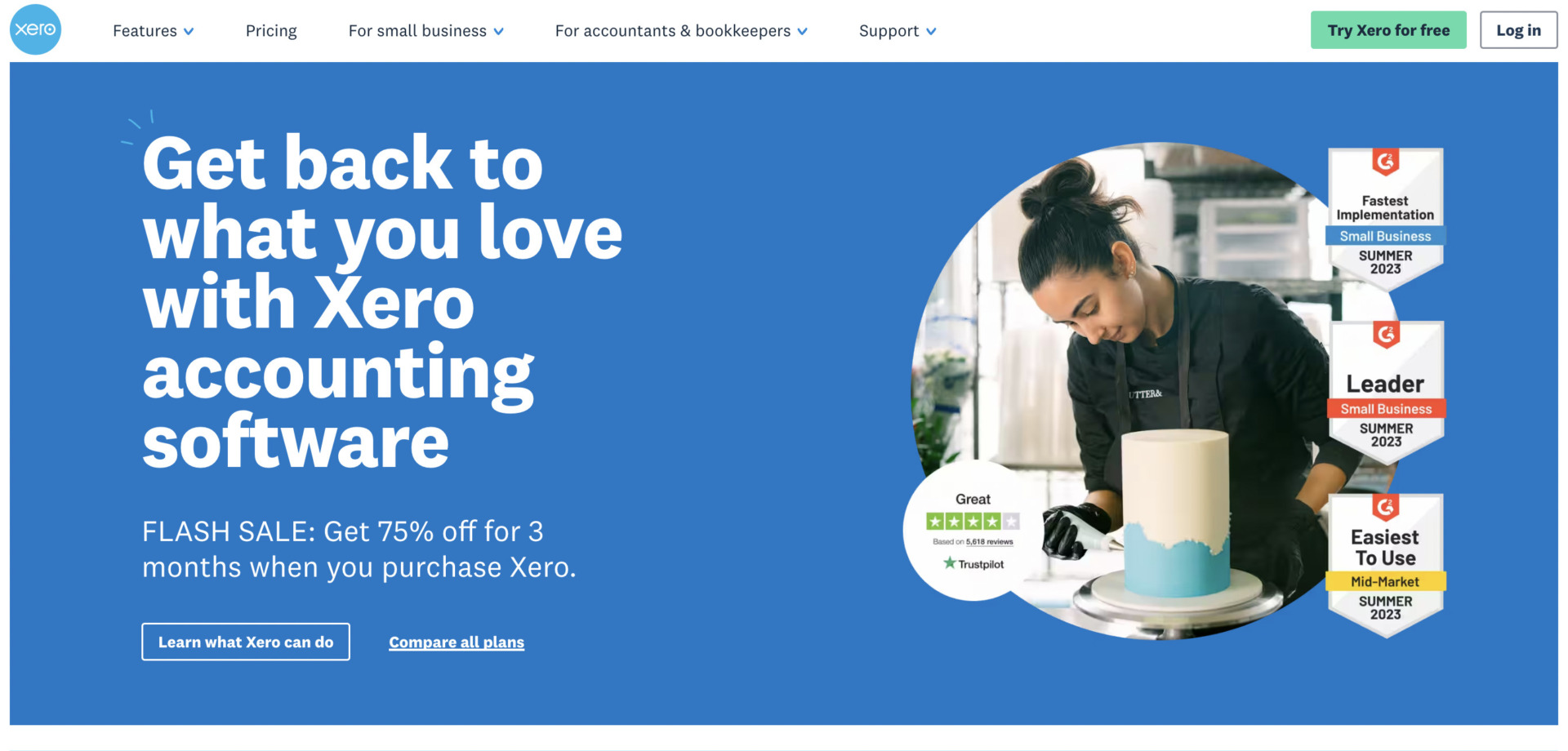
Features of Xero
- Equipped with a wide variety of functions
- Can also be used on a smartphone
There are enough functions to handle all kinds of operations such as visualizing cash flow, tax calculation, tracking time etc.
Xero can be used not only on PC, but also on iPhone and Android devices.
Actual image of Xero
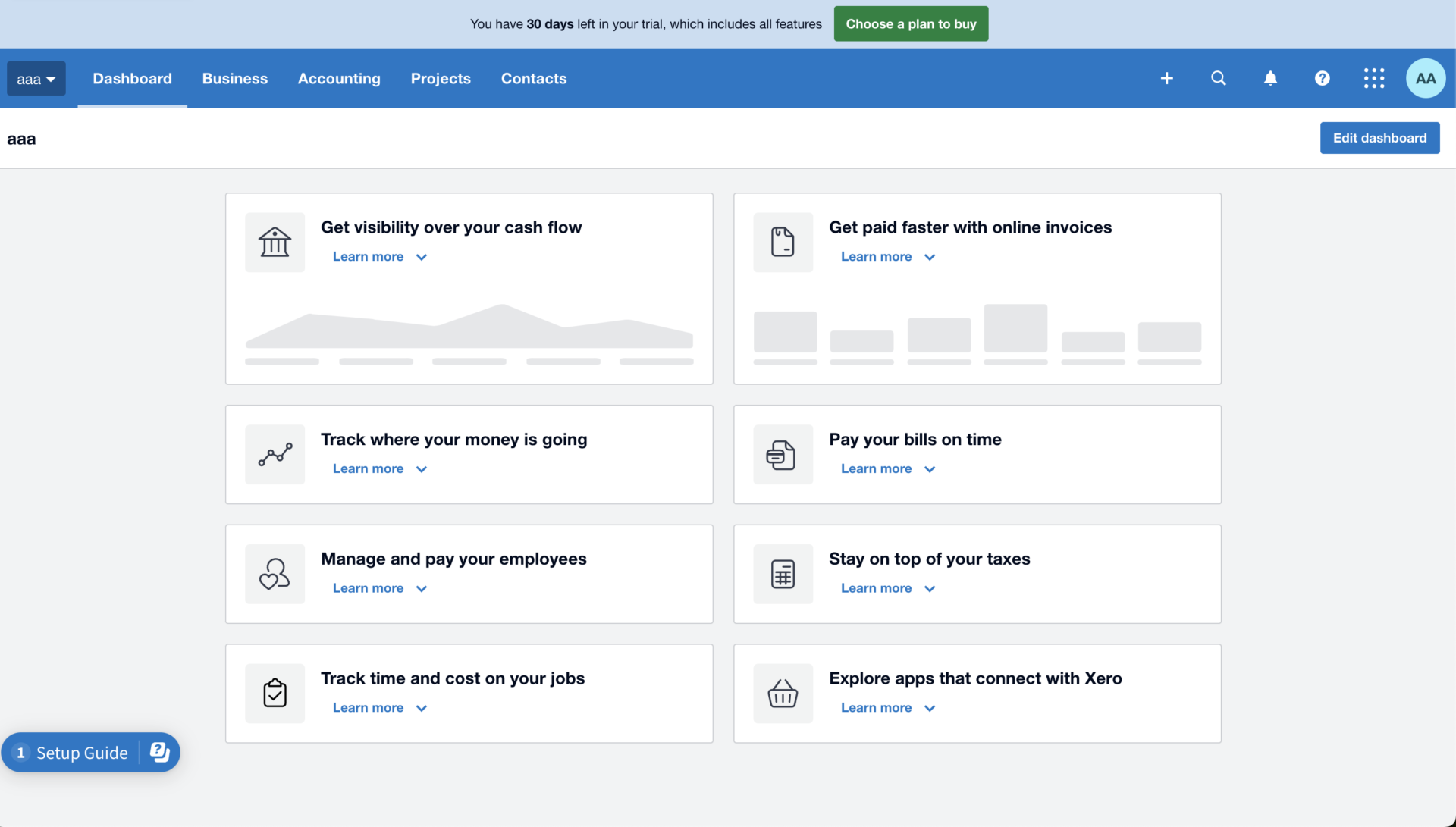
- Intuitively dashboard
Since all of information can be stored in dashboard of Xero, this allows you to enhance the speed of accessibility for information.
Note of Xero
- Restriction regarding number of documents managed
If you use Early plan of Xero, invoices and estimates that you can send are up to 20. In this way, there are some limited features by each plan.
Pricing of Xero
- Early: $3.75/user/month
- Growing: $10.50/user/month
- Established: $19.50/user/month
Freshbooks| A tool for any scale companies

Features of Freshbooks
- A tool for accounting regardless the scale of business
- A wide variety of collaboration with other apps
Freshbooks is to manage accounting information for various business types and scale such as freelancers, self-employed professionals, for businesses with contractors, businesses with employees, and so on.
Integration with over 100 apps provided by others like Asana, Dropbox, Zoom, you will be able to increase productivity.
Actual image of Freshbooks
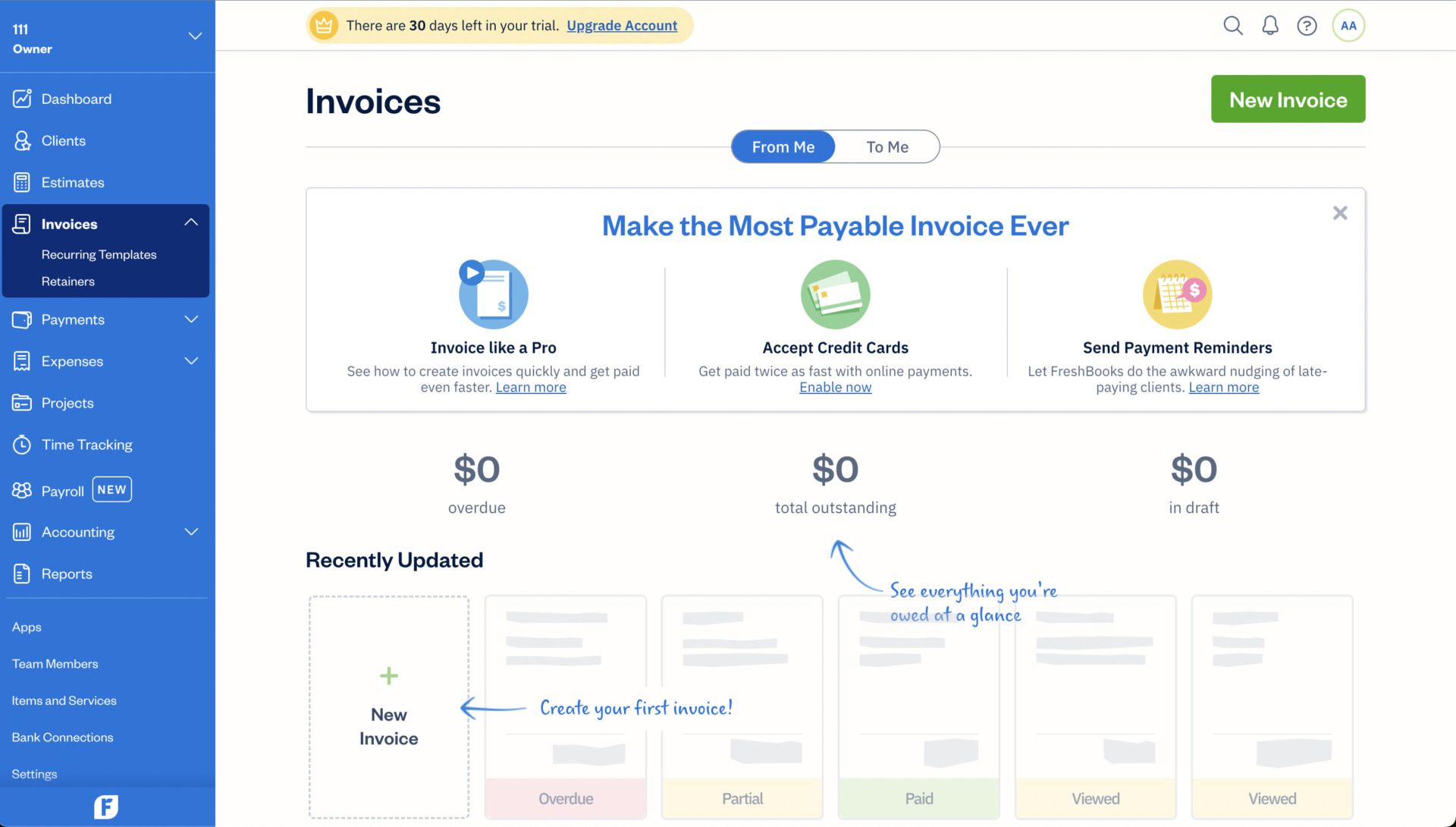
- Excellent multifunctionality
FreshBooks can handle a wide variety of documents invoices, estimates, payments, and it allows you to import the transaction from between bank account if you connect bank account.
Note of Freshbooks
- It is necessary to understand how to use it in advance
To take advantage of the multifunctionality, complex business procedures need to be entered into the system, so it is necessary to fully understand how to use the tool.
Pricing of FreshBooks
- Lite: $7.60/month (up to 5 members)
- Plus: $13.20/month (up to 50 members)
- Premium: $24.00/month (unlimited members)
- Select: You need inquiry
Comparison chart of 5 recommended tools for tax accounting firms
This sections introduces the comparison chart for accounting tools which are mentioned above.
| Stock | Dropbox | Clockify | Xero | FreshBooks | |
|---|---|---|---|---|---|
| Features | Easiest way to share information | Share document data in folders | A tool for accounting information tracking like invoice | A tool with a wide range of functions | A tool for any scale companies |
| Points to note | No automatic analysis function is provided | Must be used in conjunction with other tools | Some restriction regarding accounting in Basic plan | Restriction regarding number of documents managed | Need to understand how to use it in advance |
| Pricing | ・Free plan :Free ・Business plan :$5 / user / month ・Enterprise plan :$10 / user / month | ・Plans for Businesses ・Standard: 1,500 JPY/user/month (monthly payment) ・Advanced: 2,400 JPY/user/month (monthly payment) ・Enterprise: You need inquiry. | ・Basic: $3.99/user/month (annually payment) ・Standard: $5.49/user/month (annually payment) ・Pro: $7.99/user/month (annually payment) ・Enterprise: $11.99/user/month (annually payment) | ・Early: $3.75/user/month ・Growing: $10.50/user/month ・Established: $19.50/user/month | ・Lite: $7.60/month (up to 5 members) ・Plus: $13.20/month (up to 50 members) ・Premium: $24.00/month (unlimited members) ・Select: You need inquiry |
| Official site | For detail of Stock, click here. |
Summary of recommended tools for tax accounting firms
We have focused on the challenges faced by tax accountants’ offices and recommended tools.
Tax accountant firms have a lot of information to manage and tend to be understaffed. Therefore, IT tools that can streamline operations and allow them to focus on “work that only certified tax accountants can do” are essential for DXing their offices.
However, since the majority of tax accountants in the industry are in their 60s or older, if they are not familiar with IT, there is a risk that they will not be able to use the tools even if they are introduced. Therefore, it can be said that “IT tools that can be operated intuitively by anyone and that do not have excessive or insufficient functions for information sharing” are optimal.
In conclusion, the best tool to introduce is “Stock”, a tool that has no excess or deficiency of necessary functions and is simple enough to be used immediately by anyone in a non-IT company. In fact, there is a case study of the introduction of Stock at a tax accounting firm, which solves the burden of information management.
Free registration takes only a minute, so using Stock and solve the challenges that tax firms face.
