

Nowadays, the business environment is becoming more DX-oriented, and more and more companies are introducing “groupware” to improve the efficiency of internal information sharing and communication.
However, many people may think, “We want to try groupware for free first to avoid making a mistake in its introduction”.
In this issue, we will focus on 9 groupware that can be used even for free for below people.
- “I do not know what I can do with groupware to begin with.”
- “First of all, we want to try free groupware to see if it is useful in our company.”
- “I want to select groupware by comparing various groupware.”
This article will help you to find the best tool for your company and to improve the efficiency of information sharing within your company.
Contents
- 1 What is Groupware?
- 2 9 best groupware that can be used from a free plan
- 2.1 Stock|The easiest groupware to use for non-IT team
- 2.2 Trello|A tool for the various project management
- 2.3 Slack|Chat apps for communication smoothly
- 2.4 Bitrix24|All in one tool for team work
- 2.5 EGroupware|Groupware developed from German
- 2.6 Zoho Connect|Groupware for centralizing information
- 2.7 SOGo| A groupware can manage from tasks to email
- 2.8 Kolab| All in one open source software
- 2.9 Wimi| A groupware specialized in project manegement
- 3 Comparison table of 9 best Groupware
- 4 4 points to keep in mind when choosing free groupware
- 5 Summary of 9 best groupware that can be used for free
What is Groupware?
Groupware is a tool that facilitates communication within a company or team and improves work efficiency.
Its main functions are to share information, schedules, files, etc., and to allow members to communicate with each other. Since, you can centralize information, the team member will be able to find it they need.
9 best groupware that can be used from a free plan
Below we introduce 9 best groupware that can be used from free plans.
Free groupware has the merit of being easy to introduce for small and medium-sized companies. However, even if it is free, if it has too many or too few functions, it will not produce the results you are looking for.
In addition, if the tool is difficult to use, training costs will be incurred, and it will not be used by those who are not familiar with IT. Therefore, choose a tool that is “equipped with necessary functions and can be used easily by anyone”.
In conclusion, the groupware that should be introduced is Stock, which can be used easily without explanation even by the member in non-IT companies, and is not overloaded with necessary functions for information sharing.
You can leave all kinds of information in “Note” of Stock, and share it your team in real time. “Message” and “Task” associated with the “Note” allow you to communicate and manage tasks without mixing topics.
Stock|The easiest groupware to use for non-IT team

The simplest tool to stock information "Stock"
https://www.stock-app.info/en/
Stock is the simplest tool to stock information. Stock solves the problem, "there is no easy way to stock information within the company".
With Stock, anyone can easily store all kinds of information, including text information such as requirements, images, and files, using the Note feature.
In addition, by using the "Task" and "Message" functions, you can communicate with each topic described in the Note, so that information is not dispersed here and there and work can always be carried out in an organized manner.
<Why do we recommend Stock?>
- A tool for companies that are not familiar with ITYou don't need to have any IT expertise to get started.
- Simple and usable by anyoneStock is so simple that anyone can use it without any unnecessary features.
- Amazingly easy information storing and task managementIt is amazingly easy to store information such as shared information within a company, and intuitive task management is also possible.
<Stock's pricing>

- Free plan :Free
- Business plan :$5 / User / Month
- Enterprise plan :$10 / User / Month
*Minimum number of users: 5 users
Trello|A tool for the various project management
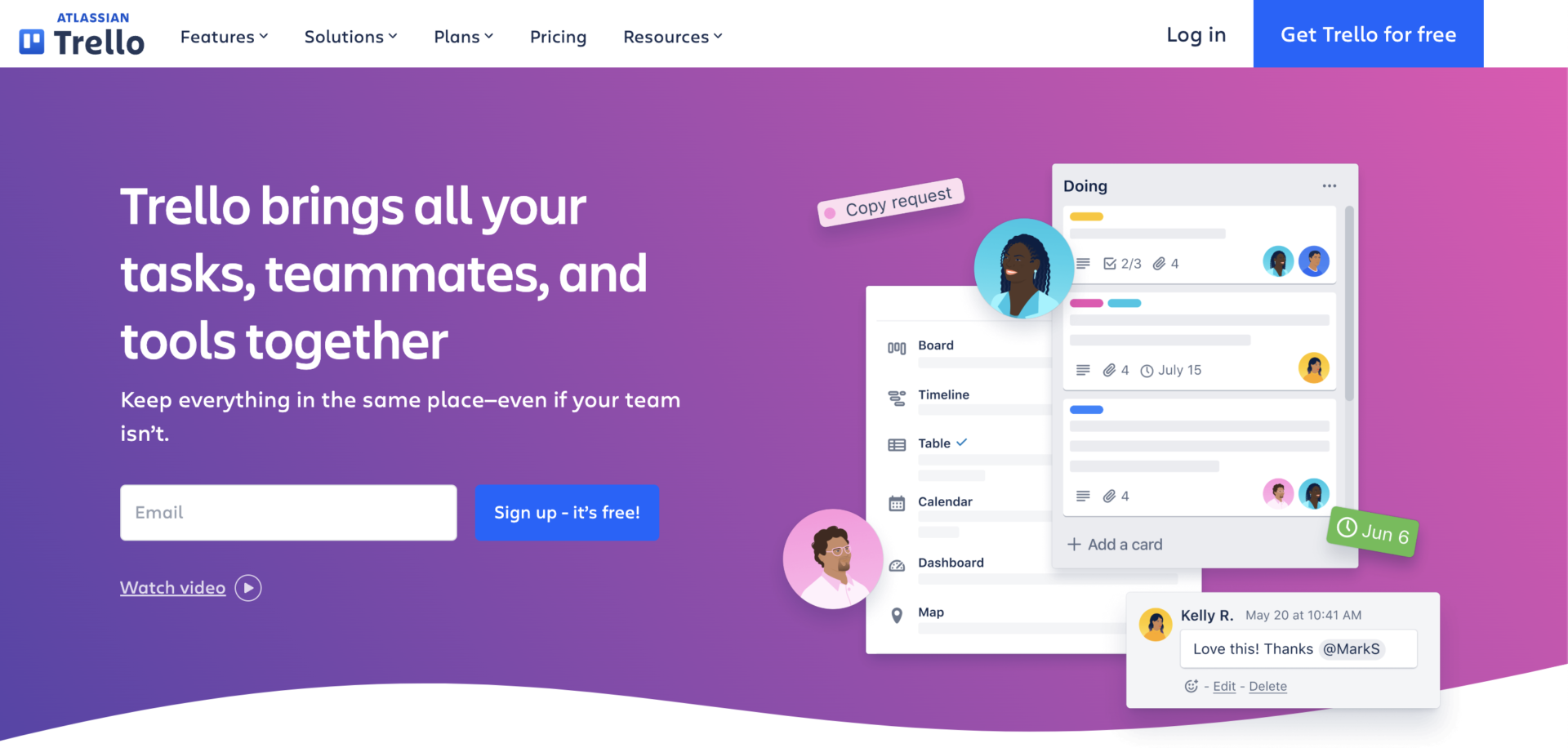
<Features of Trello>
- Tasks can be managed in units of “cards”
- Multi-device support
Tasks can be managed in units of “cards,” which can be labeled and checklists can be used to make them visually. So you will be able to understand the task status of team member at a glance.
Since Trello is compatible multi-devices, so there is no need to worry about time or location.
<Actual screen of Trello>

- Can use Table view and Calendar view
Trello can manage your and team member’s tasks not only Kanban view, but also Table and Calendar, so you can check the status of all of member’s tasks synced.
<Note of Trello>
- Tends to be geared toward large companies
While ENTERPRISE can hold down the unit price per user as the number of users increases, it can be difficult for team to use with a small number of users.
<Price of Trello>
- FREE: $0
- STANDARD: $6/user/month (monthly payment)
- PREMIUM: $12.50/user/month (paid monthly)
- ENTERPRISE: ~$17.50/user/month
Slack|Chat apps for communication smoothly
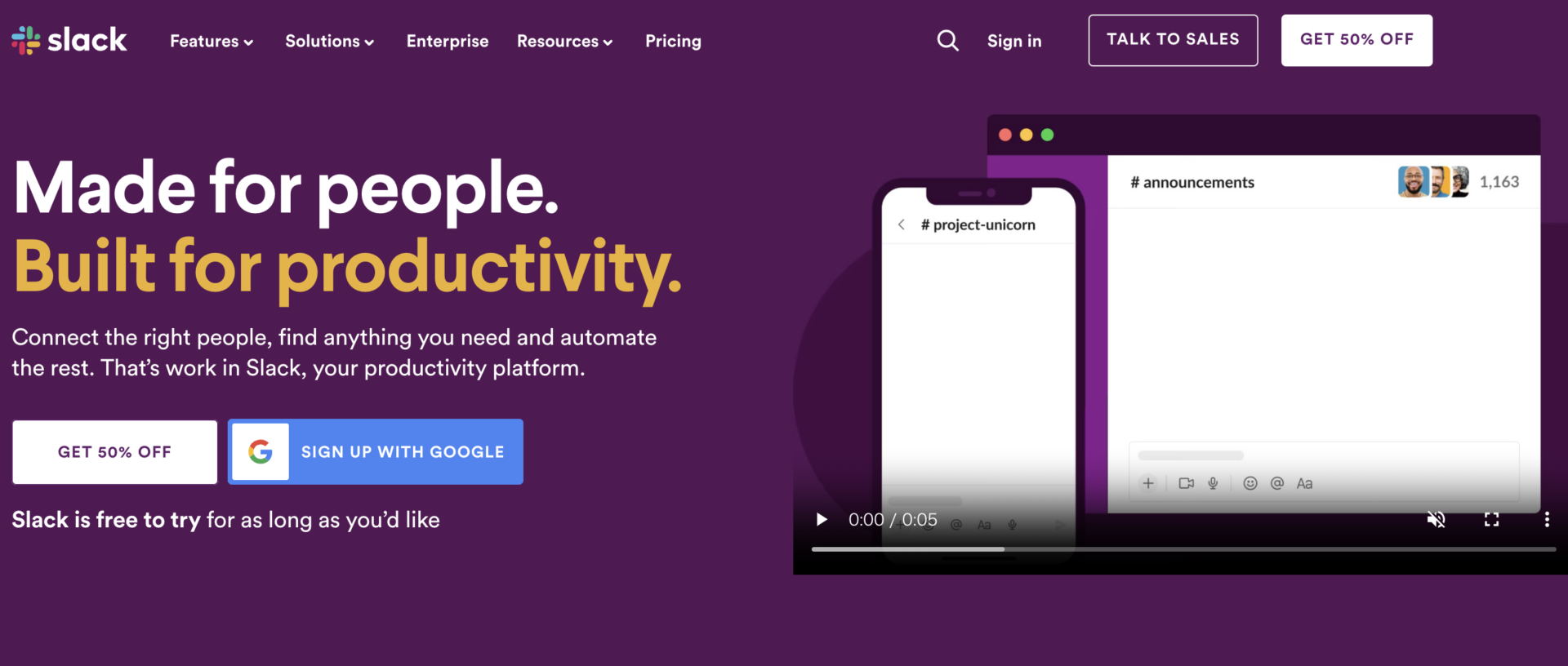
<Features of Slack>
- Integrate with other tools
- Can communicate Smoothly
Slack can be integrated with external tools for more efficiency, making it possible to unify notifications related to projects.
Since Slack is a chat-type tool, information sharing of internal communication becomes smooth.
<Actual screen of Slack>
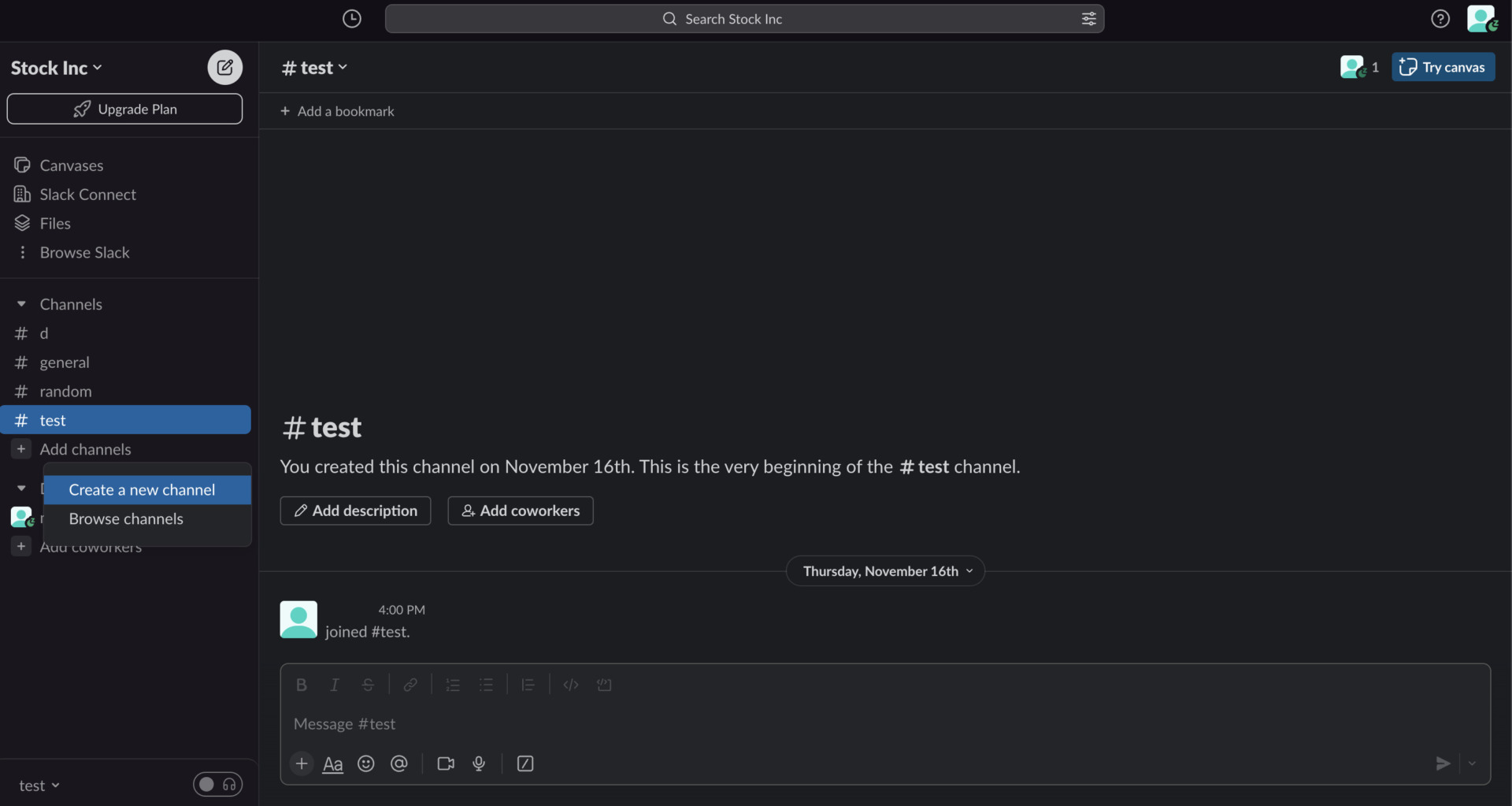
- Channel allows you to collaborate any member
If you create the Channels which is the space to communicate with other members, it prevents mixing up the topic of message.
<Note of Slack>
- Information will be flowed
Since new information may flow one after another by new message, it will be burden for you to find information you need.
<Price of Slack>
- Free: Free of charge
- Pro: $8.75/user/month (monthly payment)
- Business Plus: $15/user/month (monthly payment)
- Enterprise Grid: You need inquiry
Bitrix24|All in one tool for team work

<Features of Bitrix24>
- The functions of groupware needed are equipped
- Multifunctional tool
All the functions required for groupware such as Chat, Online meeting, project management, CRM, are provided.
Since Bitrix24 has various function for enhancing productivity even complicated process, it is suited by major company or the team that has IT-savvy.
<Actual screen of Bitrix24>

- The functions that has varieties help you
As above image, Bitrix24 is multifunctional tool, you should prepare and decide the rule and usage such as “When is this function used?” for instance.
<Note of Bitrix24>
- Restriction of Free plan and Basic plan
The functions such as Marketing analytics and automation are limited by Free plan and Basic plan.
<Price of Bitrix24>
- Basic: $49/month (up to 5 users, annually payment)
- Standard: $99/user/month (up to 50 users, annually payment)
- Pro: $199/user/month (up to 100 users, annually payment)
- Enterprise: $399〜/user/month (up to 250 users〜, annually payment)
EGroupware|Groupware developed from German
<Features of EGroupware>
- Various functions
- Trial period is 30 days
As the functions such as CRM, Online Office(editing document), Managing resources, allow you to create online company platform.
Trial period of EGroupware is 30 days, so you can make a decision after your team have used it properly for long time.
<Actual screen of EGroupware>
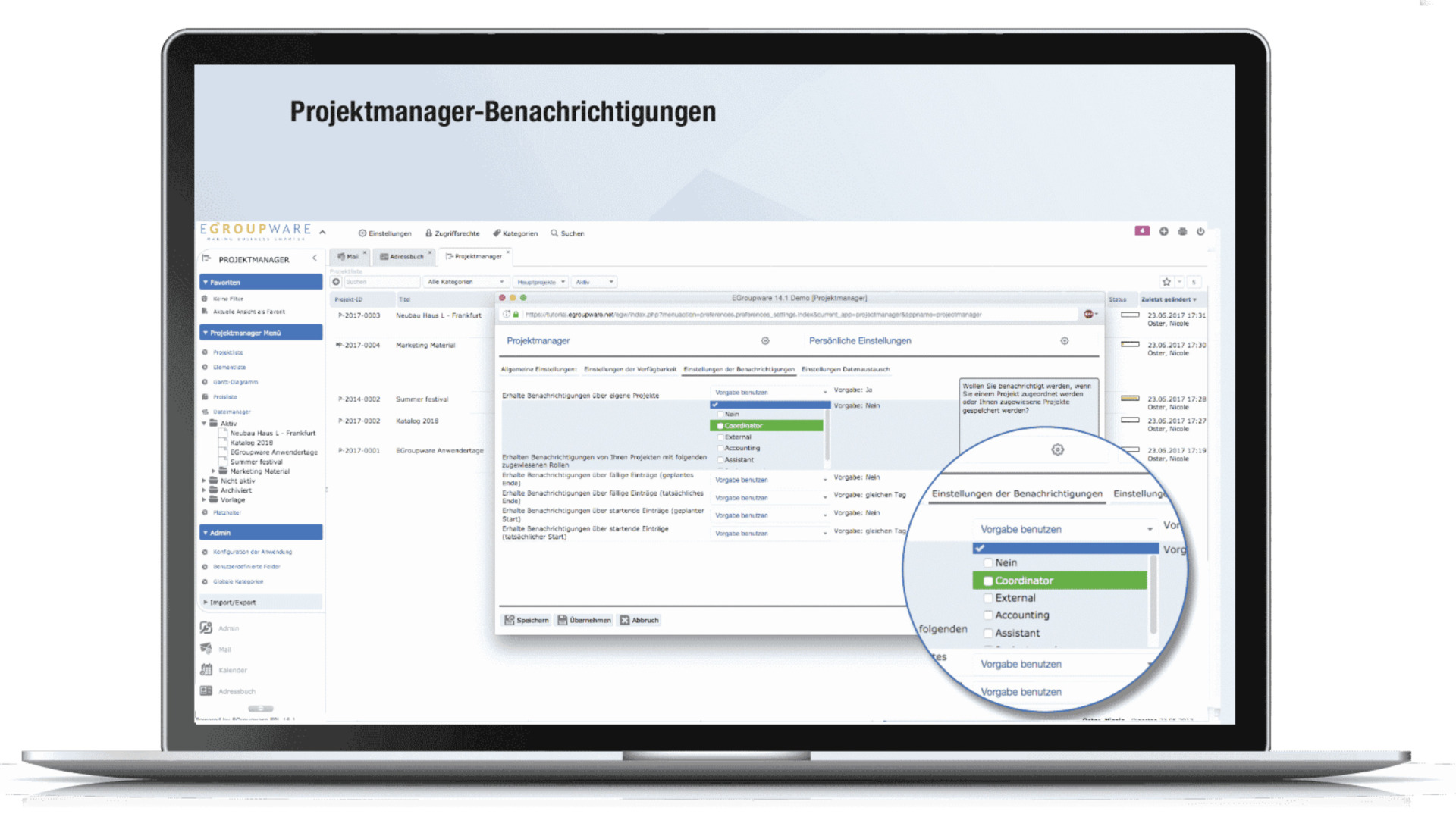
- It matches for major companies
EGroupware contains the functions for managing all of information such as mail, history of dealing, project management, so it is for the major companies to manage many members.
<Note of EGroupware>
- Possibele to occur additional fee
Since using the service provided by EGroupware such as customer support, Spam titan, Online Office, are additional fee, there is possible to take costs over your imagine.
<Price of EGroupware>
*The below price are “EGroupware in the German cloud”.
- eCloud NGO: 18.90€/month
- eCloud: 19.90€/month
Zoho Connect|Groupware for centralizing information
<Features of Zoho Connect>
- Able to consolidate dispersed communication channels
- Become a place to share knowledge
You can manage forums, events, and chat/task functions all in one place.
You can access internal knowledge and know-how, such as manuals and minutes, at any time.
<Actual screen of Zoho Connect>
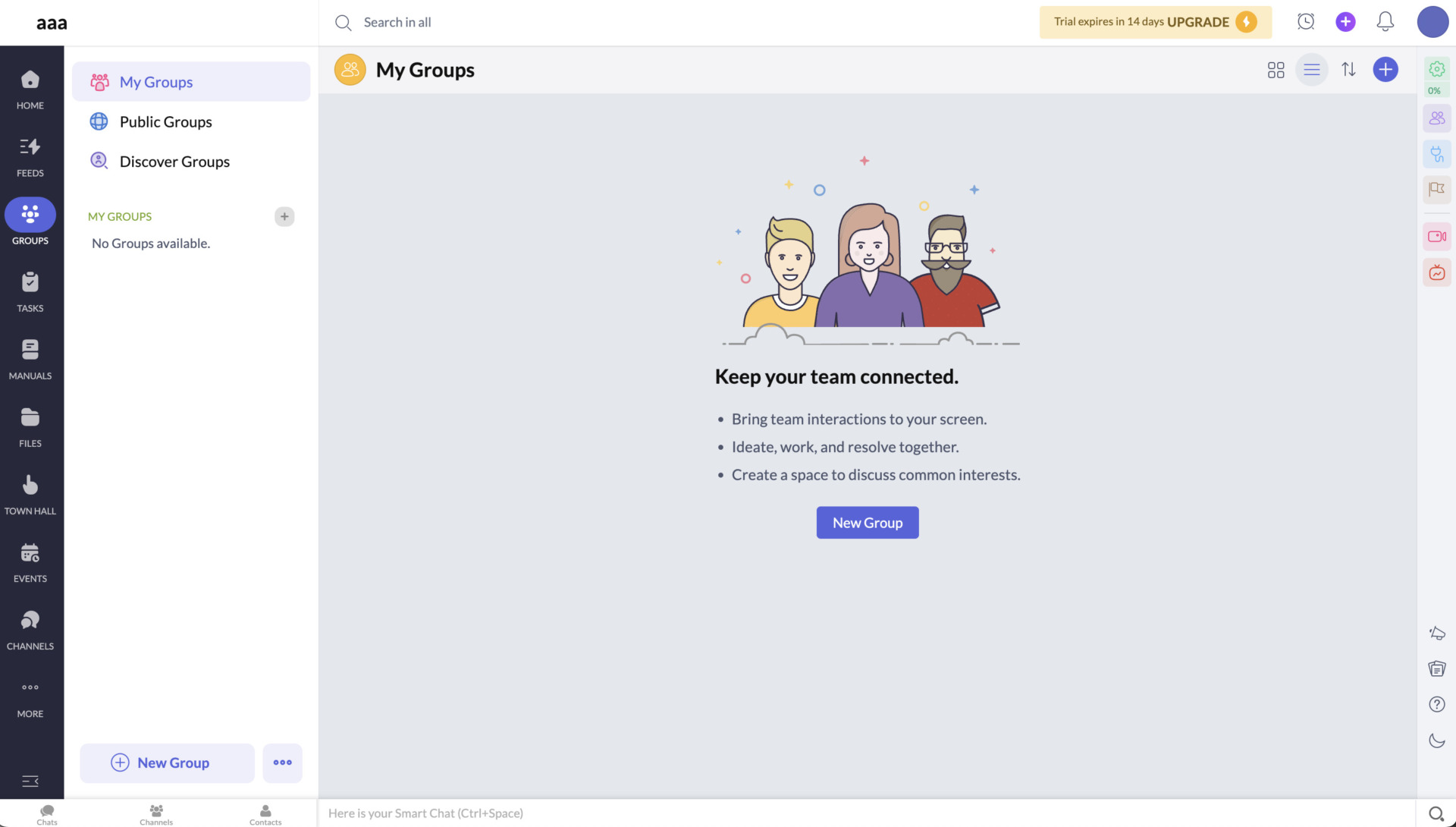
- You can collaborate any member
If you add the member to communicate and collaborate, you will be able to proceed tasks with smooth communication. However, you should decide how the authorization to prevent the omission.
<Note of Zoho Connect>
- Some functions is limited by using for free
Free plan of Zoho Connect is limited functions that are number of Groups and Boards, External users accesses, so you should consider what your team want to solve issue.
<Price of Zoho Connect>
- Internal Network
- External Network
Enterprise: $1/user/month (monthly payment)
Ultimate: $3/user/month (monthly payment)
$95.83/month (monthly payment)
SOGo| A groupware can manage from tasks to email
<Features of SOGo>
- Open source groupware
Since SOGo is open source groupware, anyone can use it for free. Each demo of SOGo provides the dashboard to manage mail, tasks with calendar and so on.
<Actual screen of SOGo>
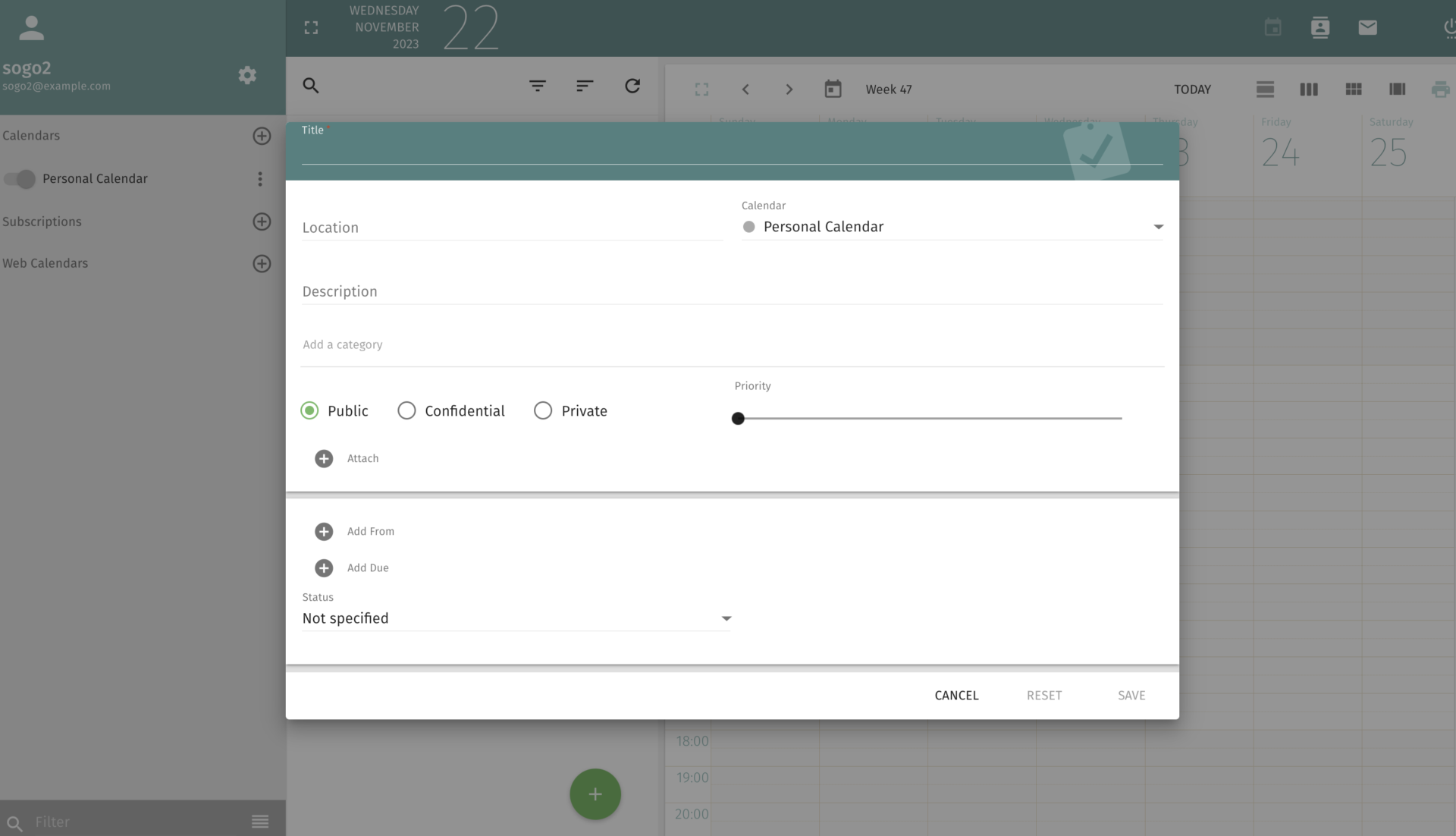
- You can manage tasks with weekly calendar
The calendar view helps you to set tasks intuitively, as this operation is similar to Google Calendar, it is feels at ease to operate by the person who uses it for the first time.
<Note of SOGo>
- It is a little difficult to start demo
You can use the demo to check usage. However, as how to start demo is a little difficult, you should scroll the top page to bottom. Then you enter the form: user name is “sogo1”, Password is “sogo” to use demo.
<Price of SOGo>
- Free of charge
Kolab| All in one open source software

<Features of Kolab>
- Use various functions for free
Kolab which is open source software has various functions such as online meeting, managing Email and Addresses, task management and so on.
<Actual screen of Kolab>

- All-in-one groupware
As above image which is displayed example of functions, you can manage all information in this platform by installation only.
<Note of Kolab>
- Need the expert support to use
As Kolab needs docker and docker-compose to use, if your team has not the member who can be familiar with the program, it is for your team to choose other intuitive tool.
<Price of Kolab>
- Free of charge
Wimi| A groupware specialized in project manegement
<Features of Wimi>
- Used by various size of companies
Wimi is the groupware which is specialized in project management mainly, and used by various companies from SME to Major companies and public sectors.
<Actual screen of Wimi>

- Highly flexible workspace
If you create the workspace by each project, your team member can use functions such as Chat, Calendar, Documents to manage information, Task management easily.
<Note of Wimi>
- free trial 14days only
Since the period of free trial is 14 days only, so you have to decide whether use Wimi or not in short period.
<Price of Wimi>
- Wimi Communities: 3€/user/month
- Wimi Drive Entreprise: 12€/user/month
- Wimi Projects Entreprise: 15€/user/month
- Wimi Suite Entreprise: You need inquiry
Comparison table of 9 best Groupware
Below is a comparison chart of 9 best groupware options. (Scroll left and right)
★Best Stock | Trello | Slack | Bitrix24 | EGroupware | Zoho Connect | SOGo | Kolab | Wimi | |
|---|---|---|---|---|---|---|---|---|---|
| Features | Easiest tool to use groupware | The tool for project management | Chat apps for communication smoothly | All in one tool for team tasks | Groupware developed from German | Groupware for centralizing information | A groupware can manage from tasks to email | All in one open source software | A groupware specialized in project manegement |
| Pricing | ・Free plan: Free of charge ・Paid plan: $4~/user/month |
|
|
| *The below price are “EGroupware in the German cloud”.
|
Enterprise: $1/user/month (monthly payment) Ultimate: $3/user/month (monthly payment) $95.83/month (monthly payment) | Free of charge | Free of charge |
|
| Official site | For detail of Stock, click here. |
If you introduce multiple tools just because they are free, your employees will be confused. Therefore, if you are not sure which tool to introduce, we recommend that you pay attention to the “smoothness of the introduction process,” “support system,” and “ease of familiarization with the site.
4 points to keep in mind when choosing free groupware
If you choose a groupware only because it is “well-known” or “major companies have introduced it,” its functions may not match your company’s current situation and it may not take root in your company. Therefore, select groupware with the following points in mind.
(1) Are there too many or too few functions?
The first point to keep in mind is that the necessary functions should be sufficient or insufficient.
If a groupware system is introduced but does not have the functions your company needs and use another tool, you will have to pay extra costs. On the other hand, if there are too many functions, it is difficult to master them and they will not take root in the company.
As described above, if a groupware has too many or too few functions, it is more likely that the desired effect will not be achieved. Therefore, the requirement should be “simple groupware with the necessary functionality.
(2) Is it easy to operate?
As a second point of caution, make sure that it is easy to operate.
If the tool is multifunctional and difficult to operate, people unfamiliar with IT will not be able to use it, and it will not spread within the company. In addition, be aware that free plans may not have a full support system.
Therefore, choose a tool that is easy enough to operate that you can use it immediately. For example, a tool like Stock, which allows you to easily share any information with your team by simply leaving a “Note”, will help non-IT companies.
(3) Is the security strong?
The third thing to keep in mind is that security must be strong.
Since groupware manages confidential information within a company, advanced security features are essential. For example, just by using whether the company has obtained ISO27001 (ISMS), an international security certification, as a criterion, the risk of information leakage can be lowered.
As mentioned above, be careful to ensure that the groupware is a security groupware because it consolidates all the information in the company in one place.
(4) Is it compatible with smartphones?
The fourth point to note is that it must be compatible with smartphones and tablets.
If the groupware can only be used from a PC, the time and place where information can be checked will be limited. Therefore, if you are working on site or on the move, you may not be able to check messages immediately and respond to them quickly.
In particular, many completely free groupware only supports PCs, so be sure to check whether it is compatible with smartphones or not.
Summary of 9 best groupware that can be used for free
We have introduced groupware that can be used for free and the selection points. When selecting a groupware, keep the following 4 points in mind.
- Is it sufficient or insufficient in terms of necessary functions?
- Can anyone use it easily?
- Is there any risk of information leakage?
- Does it support multiple devices?
In particular, non-IT companies must choose a groupware that everyone can use, focusing on the point of “Is it easy to use?”
Therefore, your company should choose “Stock, a groupware that has no excess or deficiency of necessary functions and can be used by people who are not familiar with IT.
Free registration takes only 1 minute, so using Stock to improve the efficiency of information sharing and management within your company.
