

In order to work efficiently, it is necessary to have the skills to grasp all the tasks your team is responsible for and manage them that ensures they are handled correctly.
However, many people may be worried that they cannot manage a large number of tasks well or that they are not good at task management in the first place.
In this issue, we will introduce 10 tips that anyone can manage a large number of tasks for below people.
- “I do not know how to manage tasks efficiently, and tasks are always piling up”.
- “I want to know how to manage tasks efficiently not only individually but also on a team basis.”
- “We want to manage tasks properly and make our projects successful.”
If so, this article will help you learn how to manage a large number of tasks efficiently and get your team’s work done without stress.
Contents
- 1 10 tips for good task management
- 1.1 Tip 1|Make your tasks concrete
- 1.2 Tip 2|Prioritize tasks
- 1.3 Tip 3|Decide which tasks you will not do
- 1.4 Tip 4|Linking necessary information and the Tasks
- 1.5 Tip 5|Avoid multitasking
- 1.6 Tip 6|Do not manage tasks in your e-mail inbox
- 1.7 Tip 7|Combine “Requested tasks” and “Personal tasks”
- 1.8 Tip 8|Use pomodoro technic
- 1.9 Tip 9|Take difficult tasks first (Eat the frog)
- 1.10 Tip 10|Use task management tool
- 2 The best easiest tool for effective task management
- 3 3 Reasons why you need a tool to manage your tasks of teams
- 4 Summary of 10 tips for anyone to manage a large number of tasks
10 tips for good task management
Below are 10 tips that good task managers practice. If you want to improve your task management efficiency but do not know how to do it, this is a must-see.
Tip 1|Make your tasks concrete
First of all, one of the tips for task management is to make the content of tasks concrete.
If tasks remain highly abstract, you will not know “what you need to do” or “definition that you can say that you have completed the task. As a result, the quality of work will also decline.
Therefore, you should always clarify the time and actions to be taken, such as “contact the company at 1:00 PM” or “complete by next Wednesday”.
Tip 2|Prioritize tasks
Next, prioritize tasks using the two axes of “Importance” and “Urgency”.
It is difficult to devote the same amount of effort and time to all tasks. Therefore, we utilize the matrix shown in the figure below to classify tasks into 4 patterns.
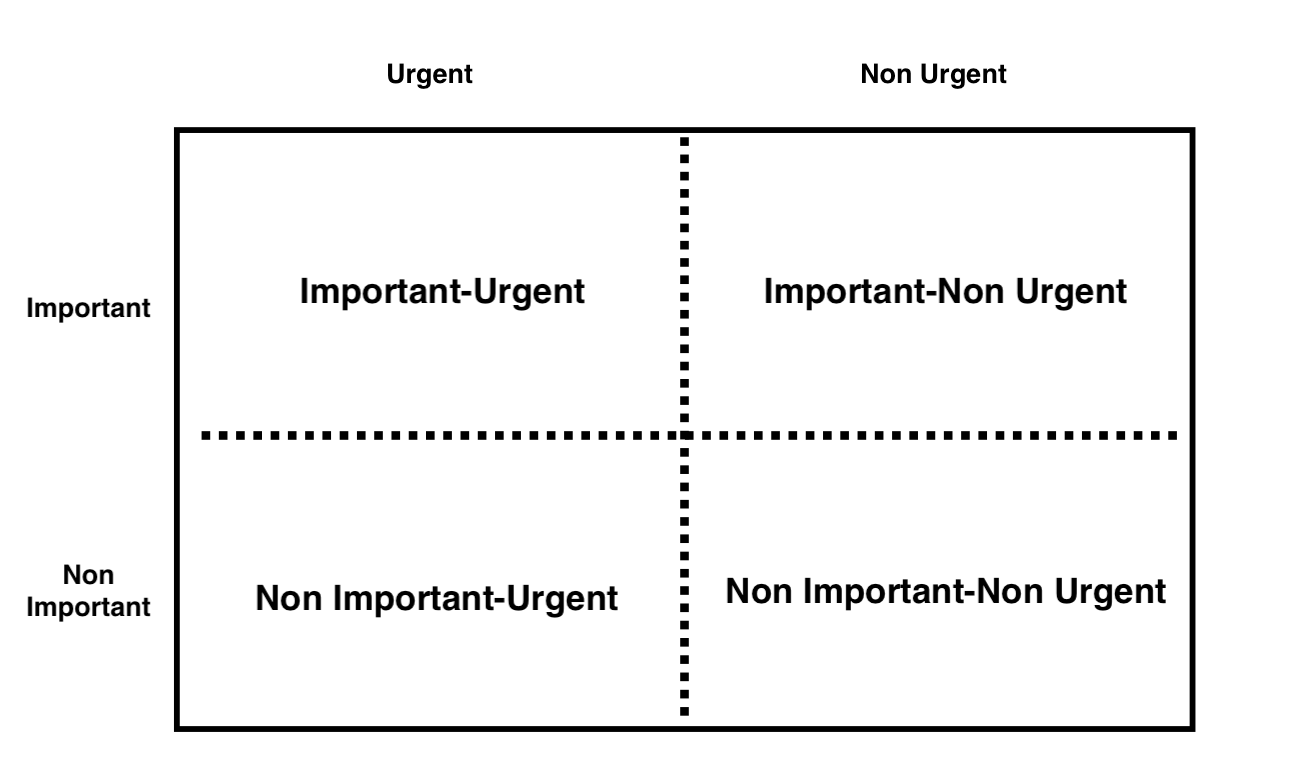
Below are the characteristics of the tasks classified into the 4 patterns.
- Important-Urgent
- Important-Non urgent
- Non important-Urgent
- Non Important-Not Urgent
Tasks are often related to the progress of the project and should be given the highest priority.
These are tasks that require long-term efforts that lead to the solution of management issues or business creation.
These are small tasks such as replying to e-mails or responding to visitors.
These are the tasks with the lowest priority.
By setting priorities as described above, you can work efficiently even with limited resources (people, goods, money, and information).
Tip 3|Decide which tasks you will not do
The next tip in task management is to decide which tasks you will not do.
Generally, you write down the tasks that need to be done and complete tasks according to their priority. However, if you decide which tasks not to do, you will not spend time on low-priority tasks.
As a result, you will be able to focus on the tasks that you should be spending time on, and you will have more time to meet deadlines.
Tip 4|Linking necessary information and the Tasks
Next, put together the information (documents, data) necessary for the work and the task together
If the information is tied to the task, you will be able to complete the task more quickly, because you will not have to search for it or ask the person in charge of the task every time you need to do it.
However, since information can easily be forgot in paper to-do lists and documents, we recommend using tools and apps that make it easy to centralize task and information.
Tip 5|Avoid multitasking
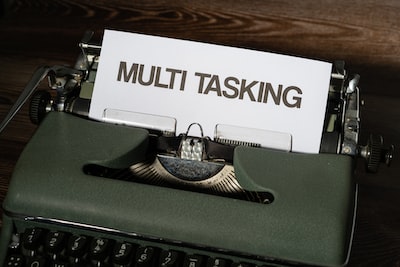
Next, it is also important to avoid multitasking (doing multiple tasks in parallel).
Although multitasking allows you to do many tasks at once, it also makes your work less efficient because your concentration is reset when you switch between tasks.
In addition, multitasking is clearly suited or unsuited to different tasks, and it may be more efficient to proceed with a single task.
Tip 6|Do not manage tasks in your e-mail inbox
The next tip is to avoid managing tasks in your email inbox.
If you manage tasks in your e-mail inbox, you will have to open the file every time you check the contents. In addition, it is easy to get forgot in other e-mails, and important information such as e-mails from business partners may be overlooked.
As mentioned above, managing tasks in your e-mail inbox is inefficient and can lead to errors in your work, so you should consider alternative methods.
Tip 7|Combine “Requested tasks” and “Personal tasks”
Next, unify the management of requested tasks and personal tasks.
If you manage requested tasks and personal tasks separately, there is a risk that you will forget to check them.
Therefore, in order to avoid overlooking tasks and to work with more time to spare, “Requested tasks” and “Personal tasks” should be managed in a centralized manner.
Tip 8|Use pomodoro technic
If you use pomodoro technic for tasks management, you can increase work productivity.
Pomodoro is the technic for task management that divides times by tasks each 25 minutes, and taking break 5 minutes, and proceeds your tasks.
If you use this technic, as you can continue concentration and proceed various tasks effectively, it is recommend for the person who cannot concentrate works.
Tip 9|Take difficult tasks first (Eat the frog)
If the troublesome tasks are taken care of first (Eat the frog), the remaining tasks can be started with more time to spare.
Also, if you complete the difficult tasks first, you will have not only the emotional leeway, but also time to help works of other members.
Therefore, you and team member can adjust schedule after completion of high difficulty tasks.
Tip 10|Use task management tool
Finally, people who are good at task management use task management tool.
With analog task management such as notes, sticky notes, and Excel, you have to request and share tasks via email or chat tool(like Slack). In addition, task management via email can lead to missing emails.
However, with a “task management tool” that centralizes information on tasks, you can always communicate in real time. In particular, Stock, which can be used in non-IT companies without explanation, is simple and does not require any effort to learn how to operate.
The best easiest tool for effective task management
Below is the best tool for task management.
Paper notes, Word documents, and Excel files are inefficient for managing tasks because they cannot be shared or updated instantly. In addition, when a team has a large number of tasks, this analog management method can take a great deal of time to complete.
Therefore, if you use a “task management tool” that allows you to centrally manage all tasks and information, you can proceed efficiently even if you are overwhelmed with a large number of tasks. However, a multifunctional tool cannot be used by employees and take education cost, so it must be a tool that anyone can operate intuitively.
In other words, Stock, which is so simple that even the member in a non-IT company can manage tasks, is the best choice.
Stock has “Note” where you can leave all kinds of information, and each note is tied to a “Task”, so you can manage tasks without getting mixed up in the topics of exchange. In addition, “Task” are not only easy to set up, but also convenient because you only need to set the person in charge to any member to complete the request.
Stock|Task management tool that can be easily used by non-IT companies

The simplest tool to stock information "Stock"
https://www.stock-app.info/en/
Stock is the simplest tool to stock information. Stock solves the problem, "there is no easy way to stock information within the company".
With Stock, anyone can easily store all kinds of information, including text information such as requirements, images, and files, using the Note feature.
In addition, by using the "Task" and "Message" functions, you can communicate with each topic described in the Note, so that information is not dispersed here and there and work can always be carried out in an organized manner.
<Why do we recommend Stock?>
- A tool for companies that are not familiar with ITYou don't need to have any IT expertise to get started.
- Simple and usable by anyoneStock is so simple that anyone can use it without any unnecessary features.
- Amazingly easy information storing and task managementIt is amazingly easy to store information such as shared information within a company, and intuitive task management is also possible.
<Stock's pricing>

- Free plan :Free
- Business plan :$5 / User / Month
- Enterprise plan :$10 / User / Month
*Minimum number of users: 5 users
3 Reasons why you need a tool to manage your tasks of teams
Below are 3 reasons why you need a tool to manage your team’s tasks. If you are used to analog management and still organizing tasks with notes and sticky notes, this is a must-see.
(1) It saves you the trouble of task creation
The first reason why you need a tool is that it saves you the time of task creation.
Some tools have a “Template function”. This greatly reduces the time required for creation compared to manual work, and modifications can be completed in just a few clicks.
Thus, if you can reduce the burden of task creation, you can concentrate on completing the task.
(2) Facilitate communication
Second, the tool facilitates communication.
Most task management tools have a “message function”, and questions and consultations regarding tasks can be completed on the tool. Therefore, there is no need to use e-mail or chat tool together to confirm and share tasks.
Thus, if task management tool enable smooth communication, the cost of operating chat tool and time spent asking questions in person directly can be saved.
(3) Management can be tied to information
Finally, tools allow you to manage tasks by linking them to information (documents, data).
Some task management tools have a function that allows you to link not only tasks but also business information. This function saves time that search for files in storage tools when looking for the desired information.
Among them, Stock, which has “Note” where you can leave all kinds of information and each Note is associated with a “Task”, allows you to manage information by case.
Summary of 10 tips for anyone to manage a large number of tasks
We have introduced on eight tips that anyone can use to manage a large number of tasks.
The tips for managing a large number of tasks include prioritizing tasks and deciding which tasks not to do, as well as writing the necessary information for each task together.
Furthermore, if you use a “task management tool” that can also link information related to tasks, you can check and share tasks in real time easily. However, a multifunctional tool is difficult for employees to use, so it is essential to have a tool that is easy to use, even for those who are not familiar with IT.
In conclusion, the best choice is “Stock,” which has all the necessary functions for task management and can be used without explanation.
Free registration takes only 1 minute, so using Stock and get rid of inefficiency in task management of analog method.
