

The best way to effectively communicate meeting agendas and decisions to employees is to share them successfully in the minutes.
However, many people may say, “There are minutes left, but they are difficult to understand, so I have to ask the people involved directly”.
Therefore, this issue focuses on ready-to-use meeting minutes templates and how to write them for below people.
- “I want to reduce my workload by using templates for meeting minutes.”
- “I am having trouble sharing information smoothly because the way to take meeting minutes is not consistent.”
- “I want to unify the way of writing meeting minutes in our company.”
If you are in charge of such a situation, this article will not only show you how to easily create easy-to-understand minutes, but also how to manage them effectively.
Contents
- 1 Purpose of minutes
- 2 Easier minutes taking and sharing tools than word or excel
- 3 5 easy-to-read Word and Excel meeting minutes templates
- 4 Example|Required fields and writing instructions for the minutes
- 5 4 points to consider when writing easy-to-read minutes
- 6 Summary of 5 templates and writing methods for easy-to-read minutes
Purpose of minutes
Minutes have 2 purposes. The content that should be included may vary depending on the purpose, so be sure to keep the following points in mind.
Sharing the purpose and results of the meeting
The purpose of the minutes is to accurately convey the purpose and results of the meeting.
By describing the process of discussion and decisions without omission, members who did not participate in the meeting can get a full picture of the meeting just by looking at the minutes. They also play a role in solving “gaps in understanding” among the members who participated in the meeting.
Thus, minutes are essential to share the purpose and results of the meeting and to unify the members’ understanding of each other.
Sharing to-dos and deadlines
Minutes also serve the purpose of sharing to-dos (tasks to be done) and deadlines for the next meeting.
By writing down tasks such as “who,” “what,” and “by when,” it is easier to create a schedule for after the meeting. It also makes it easier to work as a team, since other members’ tasks for the same agenda can be seen at a glance.
However, if the minutes and tasks are managed separately, it may be difficult to know which tasks are for which minutes. Therefore, a tool like Stock, which allows you to write the minutes in a “Note” and then manage tasks tied to the Note, is ideal for creating minutes.
Easier minutes taking and sharing tools than word or excel
Below is a tool for creating and sharing minutes that are easier than Word or Excel.
While meeting minute templates in Word and Excel are free, they must be shared via email or chat. In addition, each member manages the minutes in a personalized manner, which has the disadvantage of not centralizing the flow of creation, sharing, and management.
This makes each meeting a tedious and time-consuming process, so it is advisable to operate a tool that is equipped with not excessive or insufficient number of functions necessary for the minutes. However, be careful with complicated tools, as only a few employees may be able to use them.
In conclusion, the disadvantages of Word and Excel are solved by choosing Stock, which completes the creation and management of meeting minutes and can be used immediately by a employee of a non-IT company.
Minutes can be shared immediately by leaving them in “Note” of Stock and organizing the notes in “Folder” so that no one “knows where they are stored”. Also, by registering your original “Template” on Stock, anyone can create minutes in a uniform format.
Stock|The best tool for creating and managing minutes

The simplest tool to stock information "Stock"
https://www.stock-app.info/en/
Stock is the simplest tool to stock information. Stock solves the problem, "there is no easy way to stock information within the company".
With Stock, anyone can easily store all kinds of information, including text information such as requirements, images, and files, using the Note feature.
In addition, by using the "Task" and "Message" functions, you can communicate with each topic described in the Note, so that information is not dispersed here and there and work can always be carried out in an organized manner.
<Why do we recommend Stock?>
- A tool for companies that are not familiar with ITYou don't need to have any IT expertise to get started.
- Simple and usable by anyoneStock is so simple that anyone can use it without any unnecessary features.
- Amazingly easy information storing and task managementIt is amazingly easy to store information such as shared information within a company, and intuitive task management is also possible.
<Stock's pricing>

- Free plan :Free
- Business plan :$5 / User / Month
- Enterprise plan :$10 / User / Month
*Minimum number of users: 5 users
5 easy-to-read Word and Excel meeting minutes templates
Below you will find 5 templates for Word and Excel meeting minutes. Use the following as a guide to using the right meeting minutes template for your company.
Word|eForms
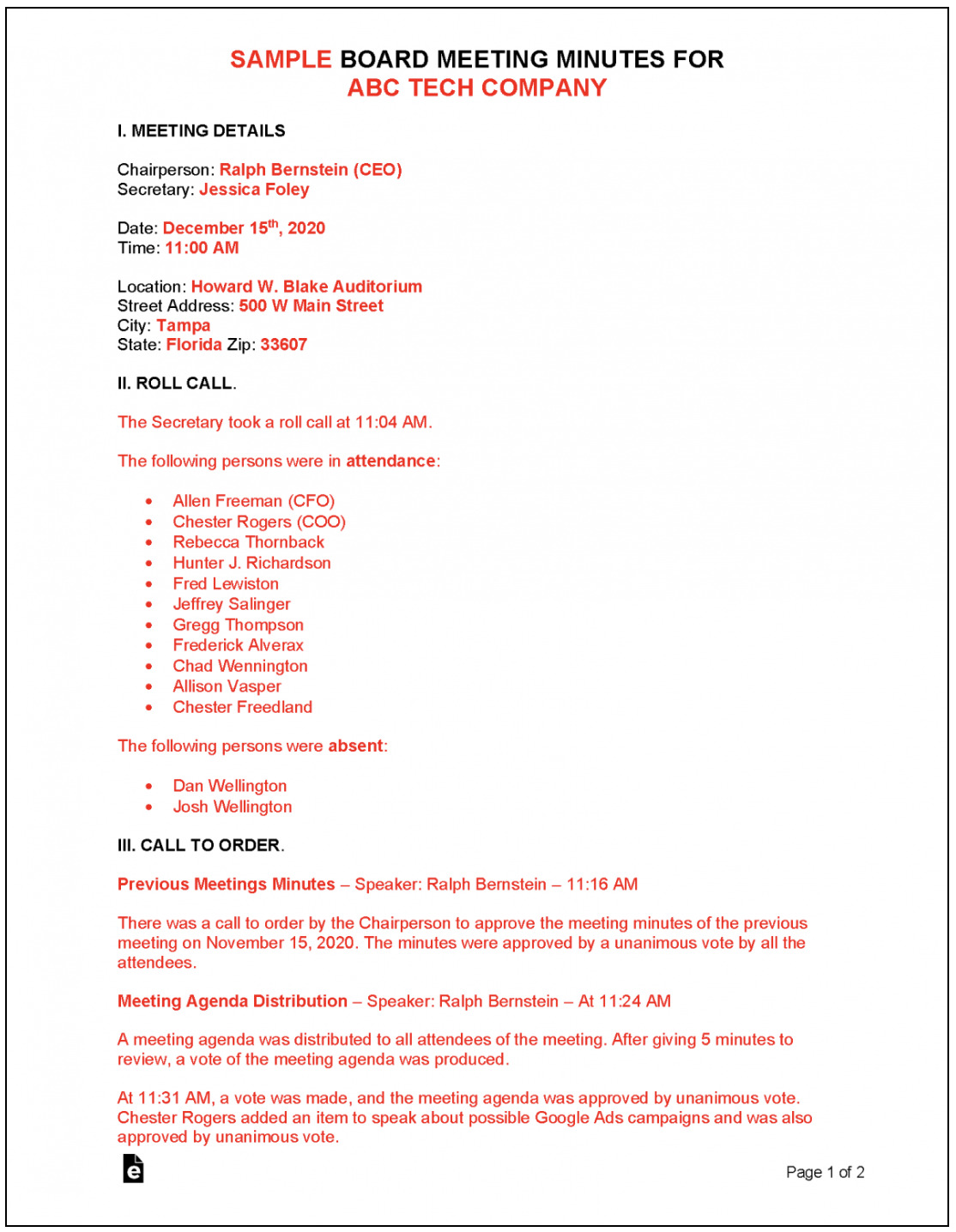
This is a Word template provided by eForms.
It features a simple structure that can be freely arranged depending on the nature of the meeting. Since there are descriptions for each items and video that explain how to make minutes with it, the people who is not good at taking minutes can use this template smoothly.
Word|Microsoft official template
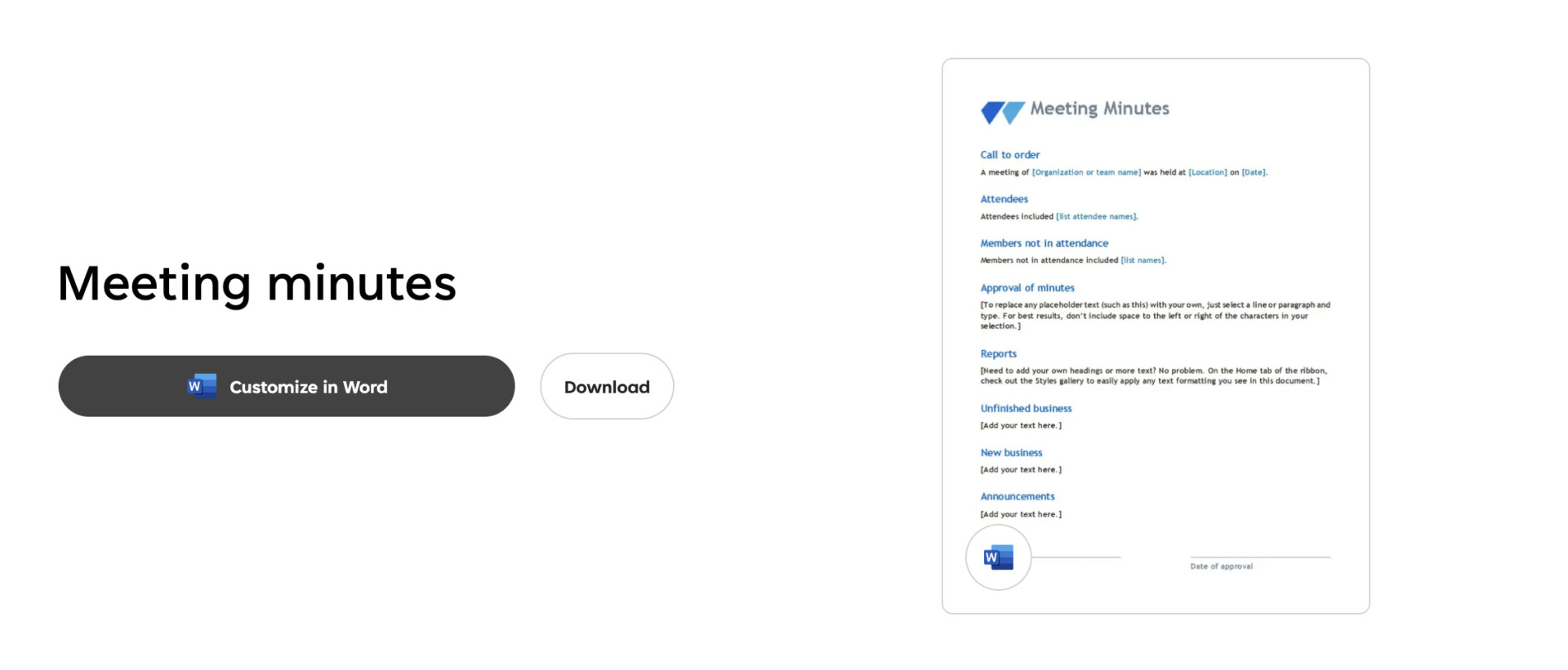
Here is a Word template provided by Microsoft.
This template is ideal for a comprehensive summary of the meeting agenda and decisions. At the bottom of the minutes, you can leave next action as well as finished action, which is useful for tracking progress.
Word|Vertex42
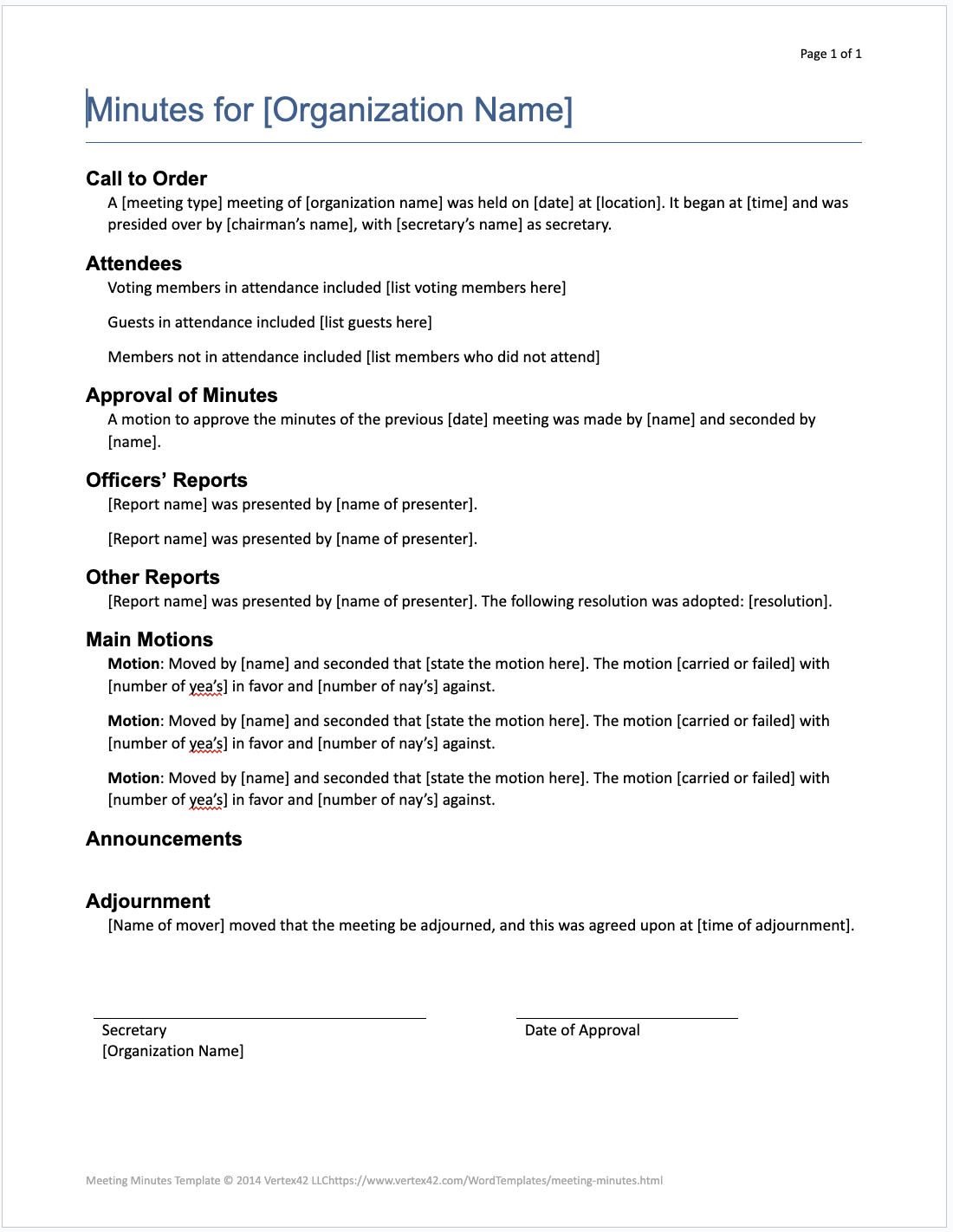
This is an word template provided by Vertex.
This formal template is compatible for 11th edition of Robert’s Rules of Order. There also are items of signature, so you can use it any industry and scene.
Word|WPS Academy

This is a word template provided by WPS Academy.
The feature of this template is made with chart, makes you to write down more easily. As this template has items that are correspondence time and each topics, you can track flow of meeting chronological easily.
Word|Template.net
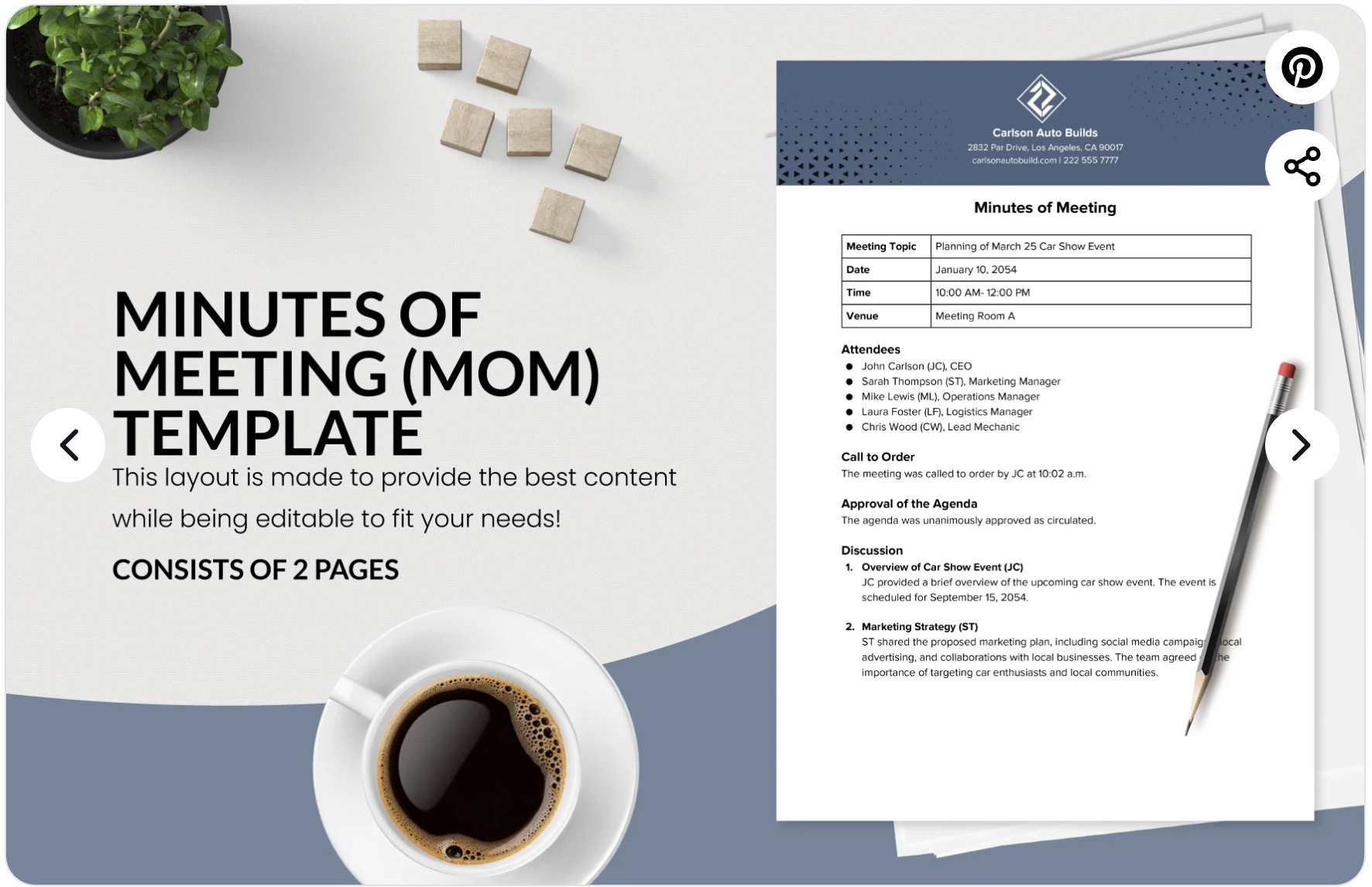
Here is a Word template provided by Template.net.
It features the items required for the minutes basically, and make minutes easy-to-read with bullet point and table. Also, as the company logo is set freely, you can customize your company specification.
Example|Required fields and writing instructions for the minutes
If the free templates distributed do not cover the items required for your company, one way is to create your own template. In order to share information about the meeting without omission, be sure to include the following items.
・Name of the meeting
The name of the meeting should be listed first, so that the minutes of the meeting can be instantly grasped.
(Example) Meeting for the Corporate Recognition Expansion Project
・Date, time, and place of the meeting
The date, time, and place of the meeting should be listed to ensure the freshness of the information.
(Example) Septembar 8, 2023 (Friday), Headquarters Conference Room B
・Participants
List the department and position.
(Example) Public Relations Department: Mr. Smith, Mr. Watson, Mr. Daido
・Agenda
Bullet points of what was discussed at the meeting.
(Example) Planning of specific measures to acquire new customers
・Decisions
In the “Decisions” column, state the conclusions reached at the meeting in a concise manner.
(Example) Establishment and operation of Instagram account, distribution of press releases
・ToDo
Tasks based on decisions should be described in terms of “who, what, and by when.
(Example) Daido: Submit theme and content of press release by Monday, Septembar 18
・Contents of next meeting
Describe the contents carried over to the next meeting.
(Example) Tuesday, Septembar 25: Meeting to discuss the content of Instagram account postings
Prepare a template that includes the above items so that anyone can understand the content of the meeting.
4 points to consider when writing easy-to-read minutes
Here are 4 key points to consider when writing minutes. To create easy-to-read minutes, ensure the following points.
(1) Prepare in advance
During the meeting, it is essential to prepare materials and other materials in advance in order to focus on your notes and the agenda.
For example, it is recommended to fill in in advance any information known in advance, such as the date, time, and participants. Also, if you decide on the structure of the minutes by anticipating how the discussion will unfold, you are less likely to find yourself in a situation where “the speed is so fast that I cannot keep up with my notes”.
As mentioned above, be prepared not only to simply prepare a template, but also to “fill in the blanks that can be filled in” and “prepare your notes by anticipating the flow of the discussion”.
(2) Do not try to take perfect notes
Do not try to write everything down during the meeting; use bullet points, symbols, and diagrams.
If you are too fixated on “taking perfect notes,” you will miss things that should be written down in the minutes, and you will not get the gist of the meeting. As a result, you will have a hard time summarizing the entire meeting.
To solve omissions, it is important to be conscious of writing down the discussion in a simple manner. In fact, if you separate the minutes into “main points and decisions” and “captured items” before writing them down, you can share them with the members in an easy-to-understand manner.
(3) Be aware of 5W1H
The 5W1H is a list of the following 6 items.
- What: What
- Why:Why: Why
- When:By when
- Where:Where
- Who:Who
- How:How
For example, when describing a task, if you describe not only the content and the person in charge but also the due date (When), members will not have to go through the trouble of checking the due date.
Another key point is to use tools that are easy to share and manage.
Minutes are not the end of the process; they need to be shared with members and looked back on. However, with Word and Excel, it is difficult to know “which folder” the minutes are in, and it is troublesome to share them via e-mail or other means.
Therefore, in order to solve all of the above problems, a tool that can create, share, and manage minutes in one place is indispensable. For example, information sharing tool such as Stock can centralize information sharing and management.
Summary of 5 templates and writing methods for easy-to-read minutes
We have focused on recommended templates for creating meeting minutes so far.
By using templates, you can solve the problem of “different readability depending on the employee taking the minutes”. However, the disadvantage of Word templates is the time and effort required to share them by e-mail and to manage the files.
Therefore, introduce a tool that completes the entire process of creating, sharing, and managing meeting minutes for efficient operation of the minutes. In addition, to make the tool permeate the company, it is important that “everyone of the employees can use it easily”.
In conclusion, the best choice for creating minutes is the tool “Stock”, which is not overloaded with necessary functions and can be used even by members in a non-IT company.
Free registration takes only 1 minute, so using Stock to streamline the operation of your minutes and solve the hassle of managing and sharing them.
